MDA: Open Lookup in Side Pane
On the default mechanism of Lookup control on Model Driven Apps, once the user clicks the value, it will navigate to the record form. And since we already had Xrm.App.sidePanes, it will look interesting to change the default behavior and open the record in the side pane. So, today we will learn how to create a simple JS Utility and how we can use it effectively. Let's learn!
Utility
First, we need to create a simple JS function:
var navigationUtility = navigationUtility || {};
(function () {
    const paneName = 'openLookupToSidePane';
    const navigateTo = (pane, lookupTagValue) => {
        pane.navigate({
            pageType: 'entityrecord',
            entityName: lookupTagValue.entityType,
            entityId: lookupTagValue.id
        });
    };
    this.openLinkInSidePane = function (context) {
        const eventArgs = context.getEventArgs();
        // Disabled the original open form
        eventArgs.preventDefault();
        const lookupTagValue = eventArgs.getTagValue();

        const selectedPane = Xrm.App.sidePanes.getPane(paneName);
        if (selectedPane) {
            navigateTo(selectedPane, lookupTagValue);
        } else {
            Xrm.App.sidePanes.createPane({
                title: "Side Pane Lookup",
                paneId: paneName,
                canClose: true
            }).then((pane) => navigateTo(pane, lookupTagValue));
        }
    };
}).apply(navigationUtility);
The above code is pretty simple. Basically, we just expose openLinkInSidePane method for navigationUtility object. In that function, we will get/create the Side Pane object named 'openToLookupSidePane'. Then, we will call pane.navigate function to navigate the user to the record value.
And yes, if you wondering why we need to separate out this function, the reason is for reusability purposes. So, if we need to implement the same function, we just need to call the above.
You can create the JS Component inside your Dataverse Dev Environment as we will use this later.
Implementation
For the demo, I have the below form which has 2 lookup controls:
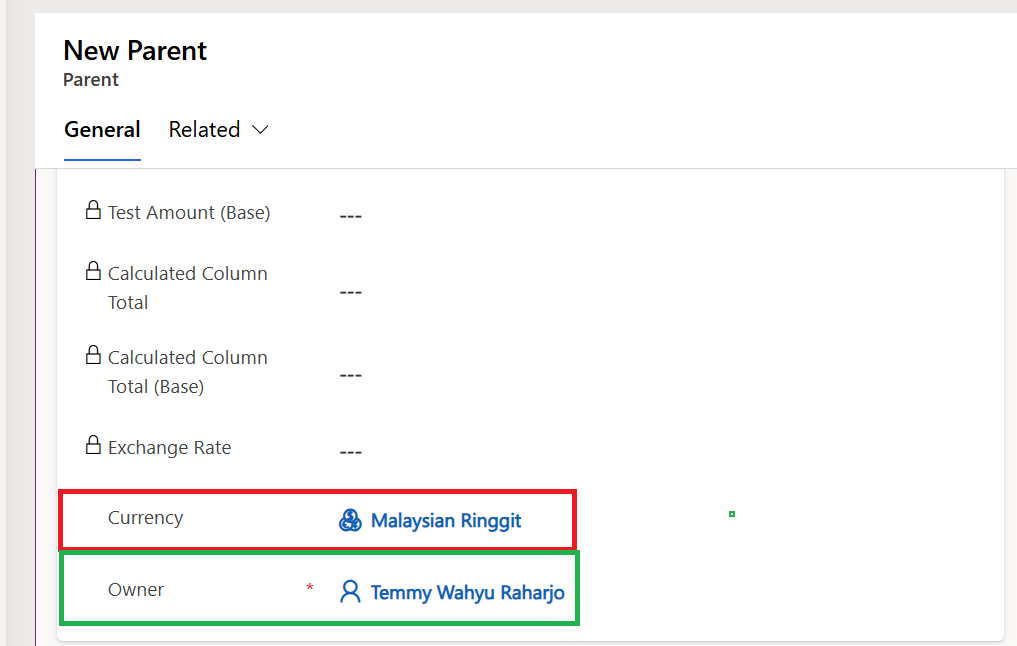
Demo Form
I created the below JS to call the Utility function that we created earlier:
var demoParent = demoParent || {};
var isLoad;
(function () {
    this.onLoad = function (context) {
        const formContext = context.getFormContext();
        // Make sure only being called 1 time
        if (!isLoad) {
            formContext.getControl("transactioncurrencyid").
                addOnLookupTagClick(navigationUtility.openLinkInSidePane);
            formContext.getControl("ownerid").
                addOnLookupTagClick(navigationUtility.openLinkInSidePane);
            isLoad = true;
        }
    };
}).apply(demoParent);
You have two choices on how to load those 2 Javascripts. First, load both JS files in the form or you also can create a dependency between the implementation of JavaScript and the Utility. For today's trick, I'll create dependency. So, once you already created demoParent JS inside the Dataverse > you can click "Edit in classic":
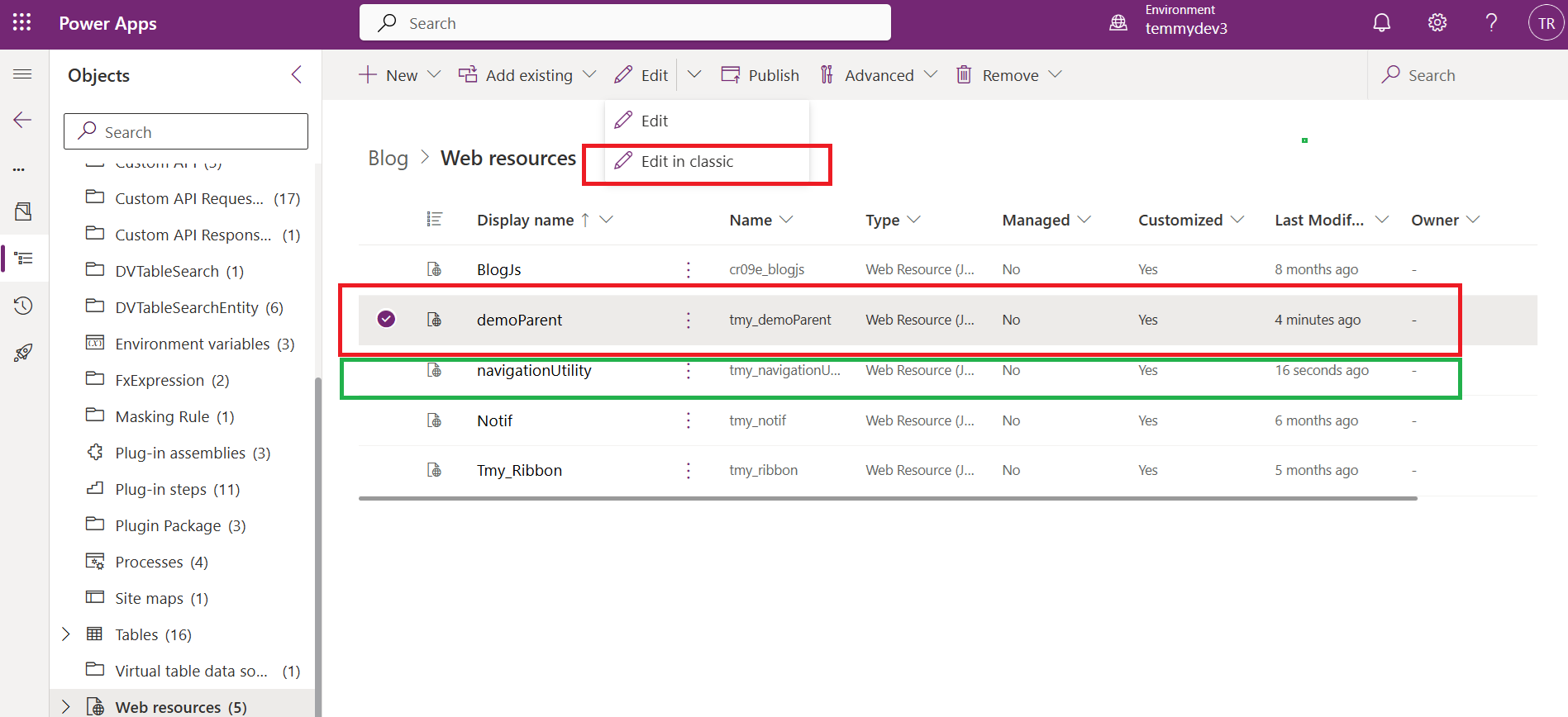
Edit in classic
It will open up the classic page > click on the "Dependencies" tab > click "Add" and search the "navigationUtility" JS:
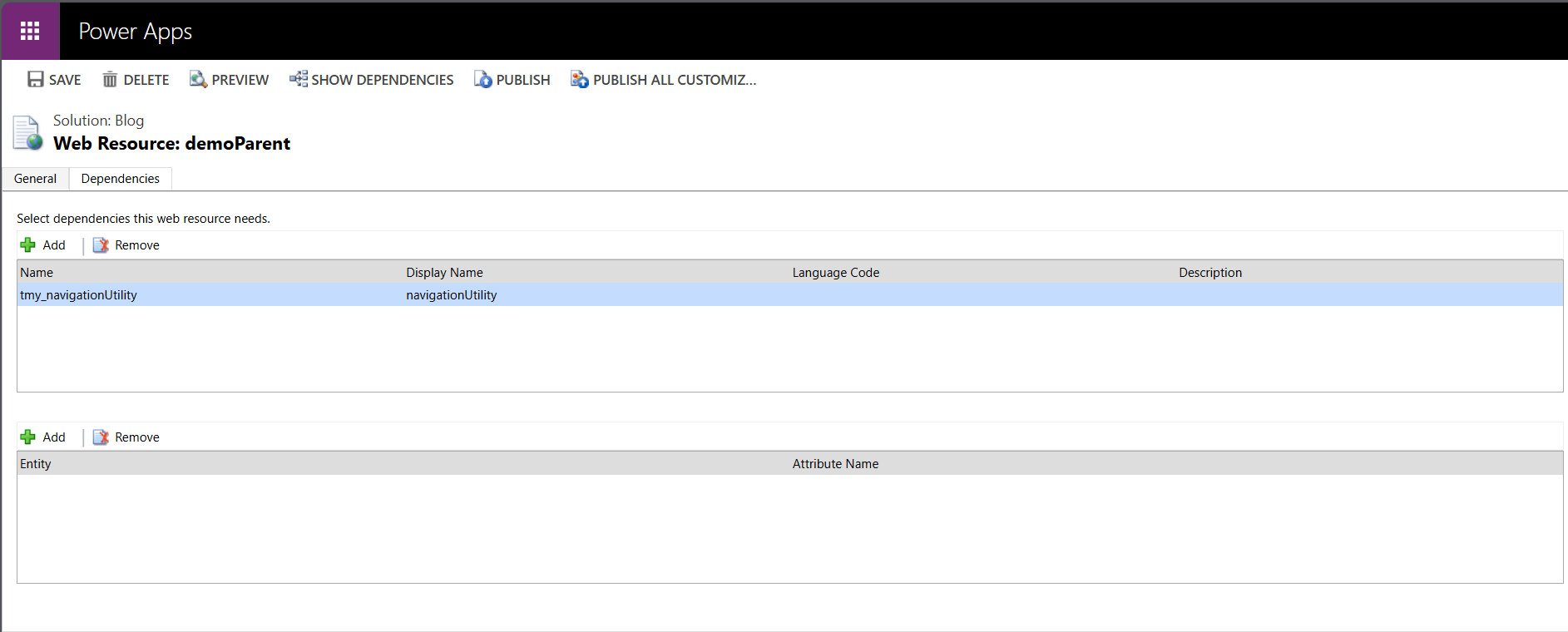
Add dependencies
Last, we just need to open the Demo Table > Add the Library and assign the Event in the Form On Load:
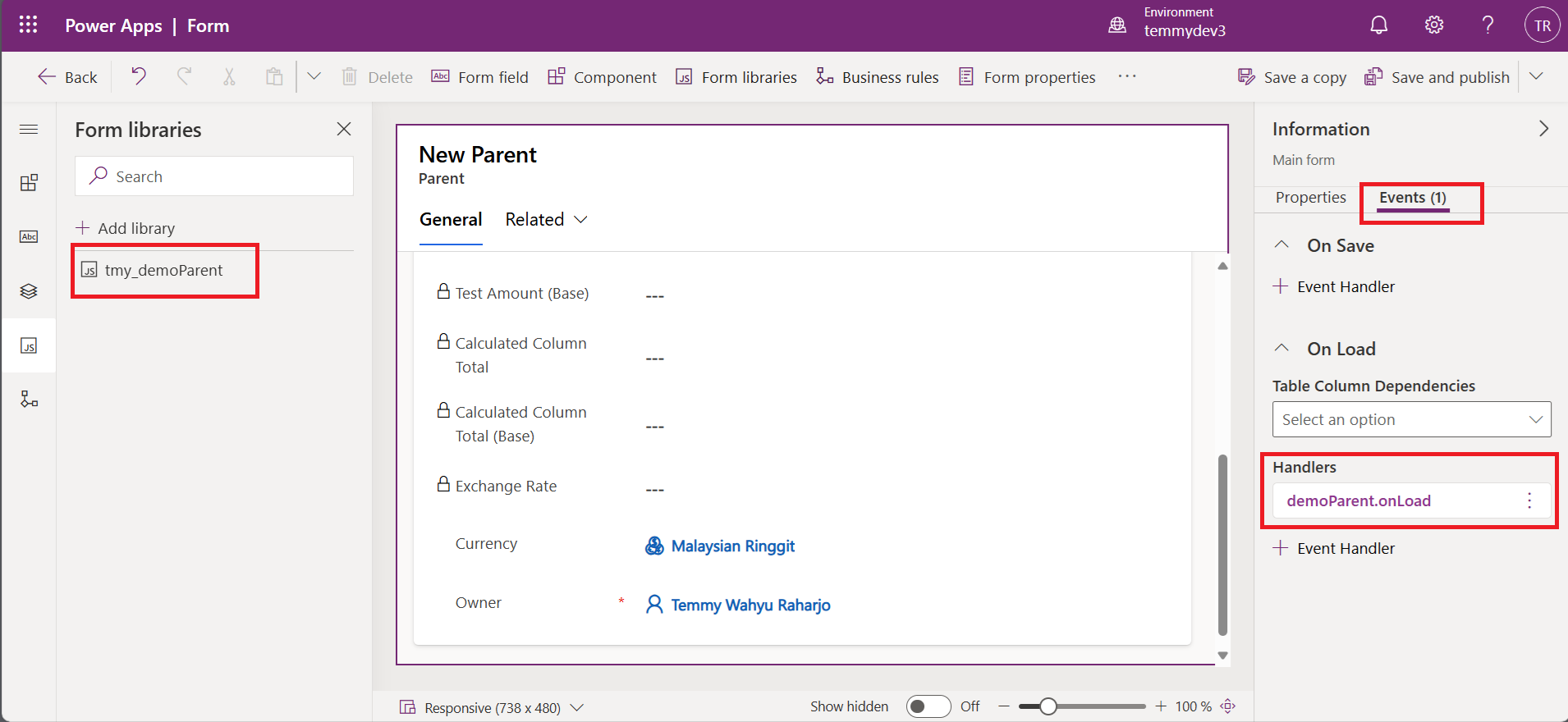
Add the JS library and register the event
Demo
Here is the Demo for today's blog post:
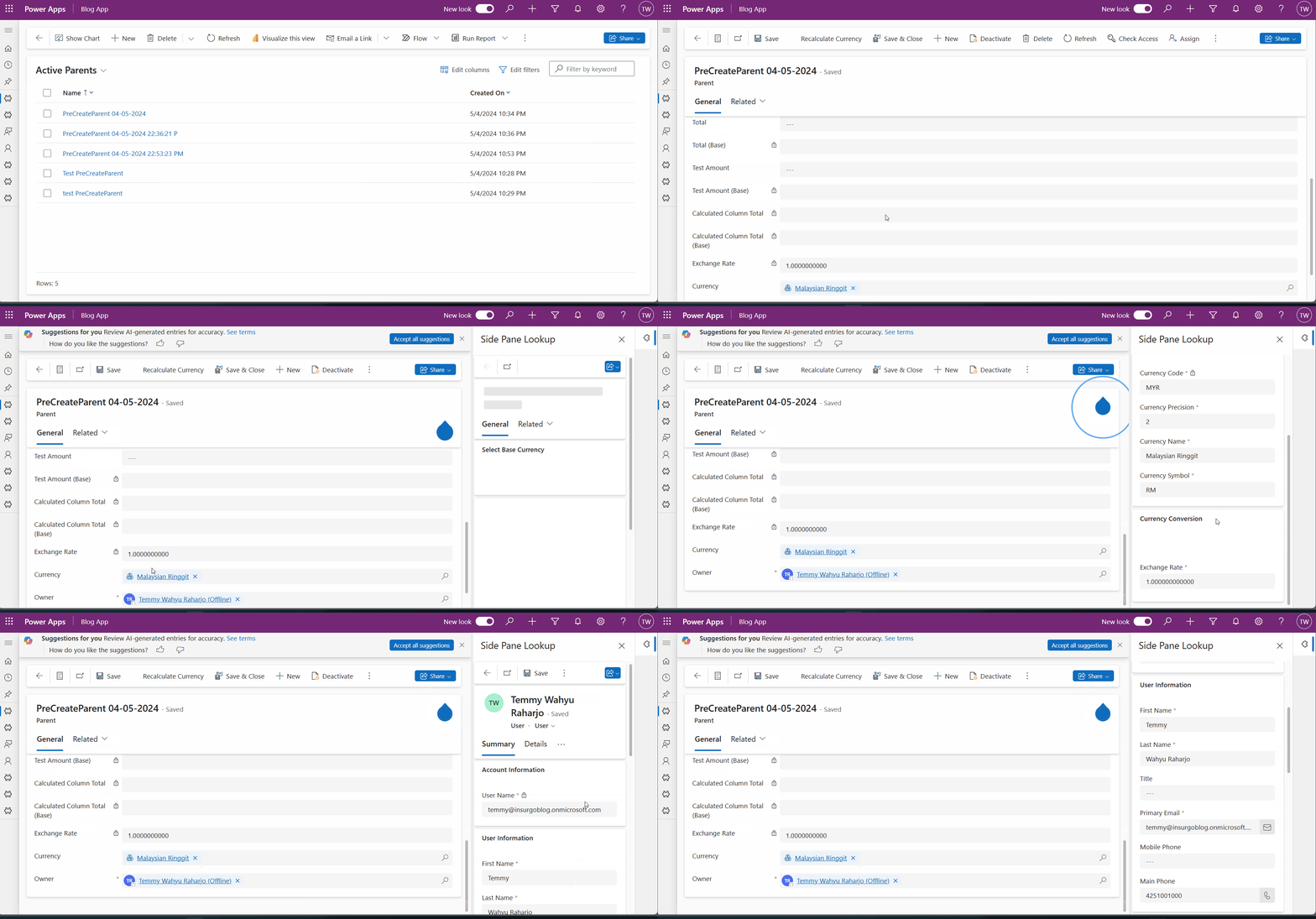
Demo
Happy CRM-ing!
Leave a comment
Your comment is sent privately to the author and isn't published on the site.