Fixed Dataverse AI Prompt Columns Error: Principal user … is missing prvReadmsdyn_AIModel
The preview feature of Dataverse AI Prompt Columns enables us to tie specific Dataverse columns and add generative AI capabilities to be used in Apps, Workflows, or Reports. For example, we can add sentiment analysis to a specific column of the Case table/entity, or you can also ask for translation or even generate a structured JSON format for integration without the need to add another layer, such as Power Automate (this is how the current implementation is going - I guess). Although it seems like everyone is applying this feature easily, I'm getting a specific error that I want to share with you guys on how to fix it!
Define the Prompt Column
I'm creating the below Prompt column:
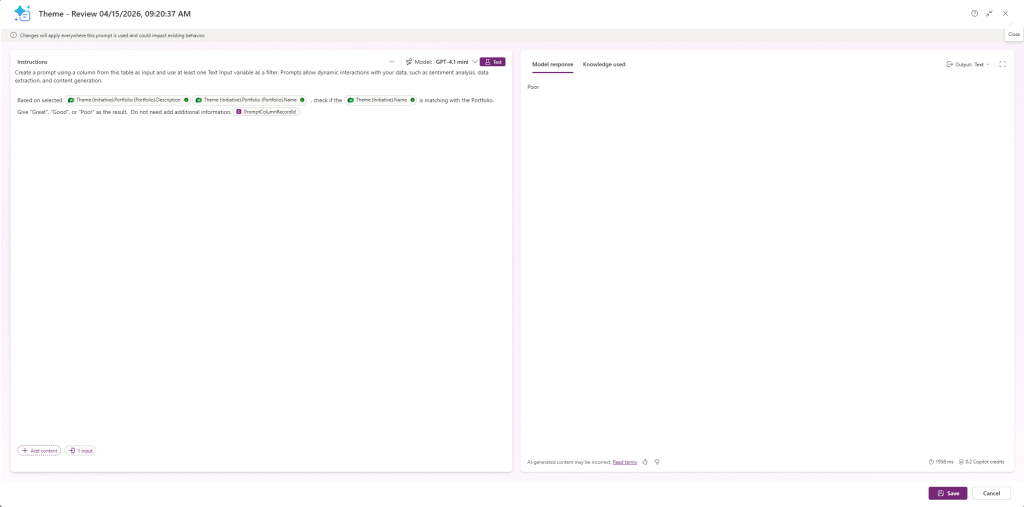
Prompt Column instruction
First, based on the version that I'm using at this point in time. We can't delete the default input that is being generated (in this case, PromptColumnRecordId will be used to pass the main record ID of the table).
Next, we need to filter all the columns that we will need to use (again, the data retrieved will be the one that has relations with PromptColumnRecordId only):
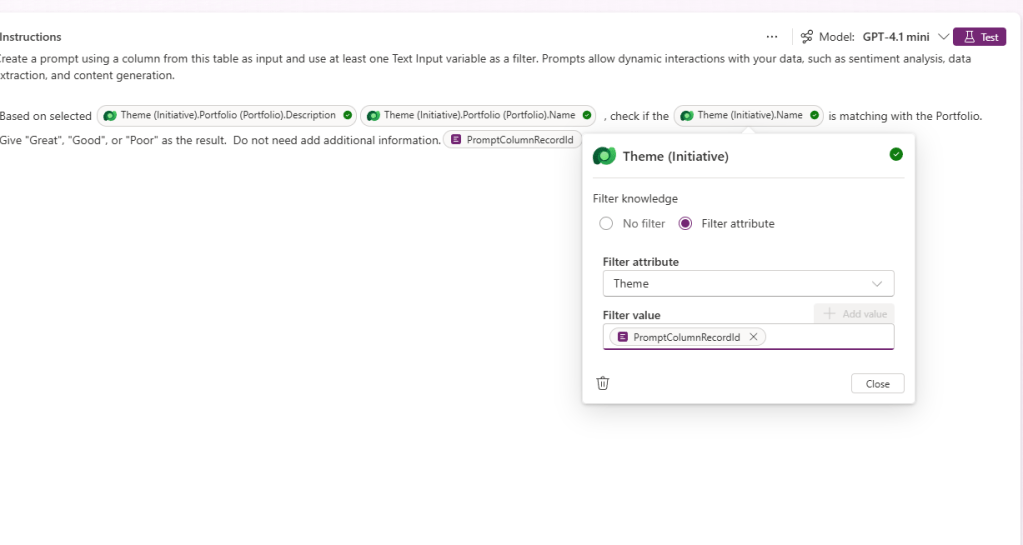
After I'm satisfied with the setting that I applied, I directly test it, and I found the Reviews are not coming in all the records that I created. FYI, when we created an AI Prompt Column, the system will automatically add two more properties, which are [columnname]_PromptColumnDetails and [columnname]_PromptColumnStatus, that will contain the description and an enum of the execution of AI Prompt Column:
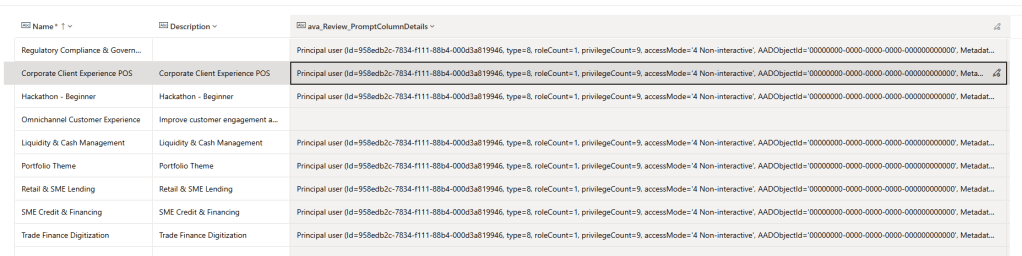
Error information
Here is the clear error:
Principal user (Id=xxx, type=8, roleCount=1, privilegeCount=9, accessMode='4 Non-interactive', AADObjectId='00000000-0000-0000-0000-000000000000', MetadataCachePrivilegesCount=5624, businessUnitId=xxx, ApplicationId/FullName: xxx/# PromptColumnRuntime), is missing prvReadmsdyn_AIModel privilege (Id=xxx) on OTC=401 for entity 'msdyn_aimodel' (LocalizedName='AI Model'). context.Caller=xxx. Consider adding missed privilege to one of the principal (user/team) roles.
Fixes
My observation, to support the execution of the AI Prompt Column, the system also created a non-interactive user named "# PromptColumnRuntime" and also created a security role named "Prompt Column Role". After further checking on the role itself, I couldn't find that it is given to the AI Model - Read role over there (I'm not sure if this is the product bug or it is really need to define the security role by ourselves as I can't find it in the documentation), and we couldn't add or modify as both the User/Role are managed components from Microsoft.
Hence, the solution is to create an Access Team > add the predefined security role into the team:
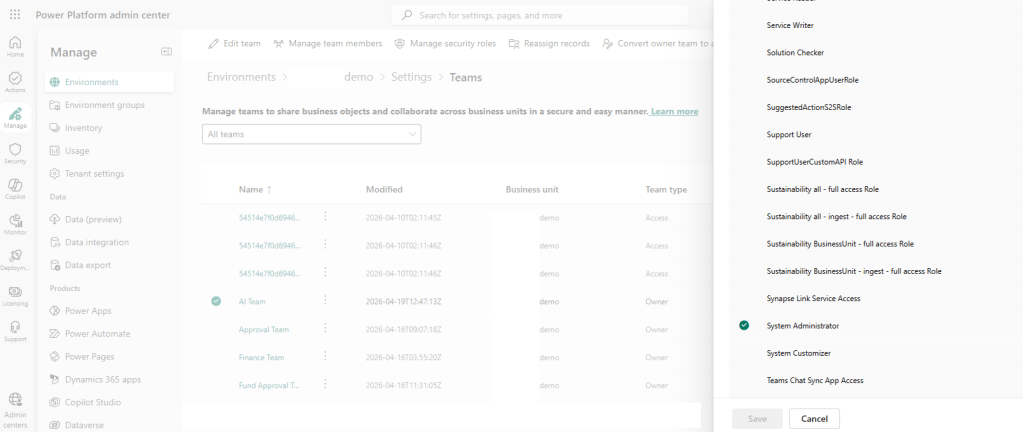
Add the Access Team and assign the security role
And lastly assigned the user "# PromptColumnRuntime":
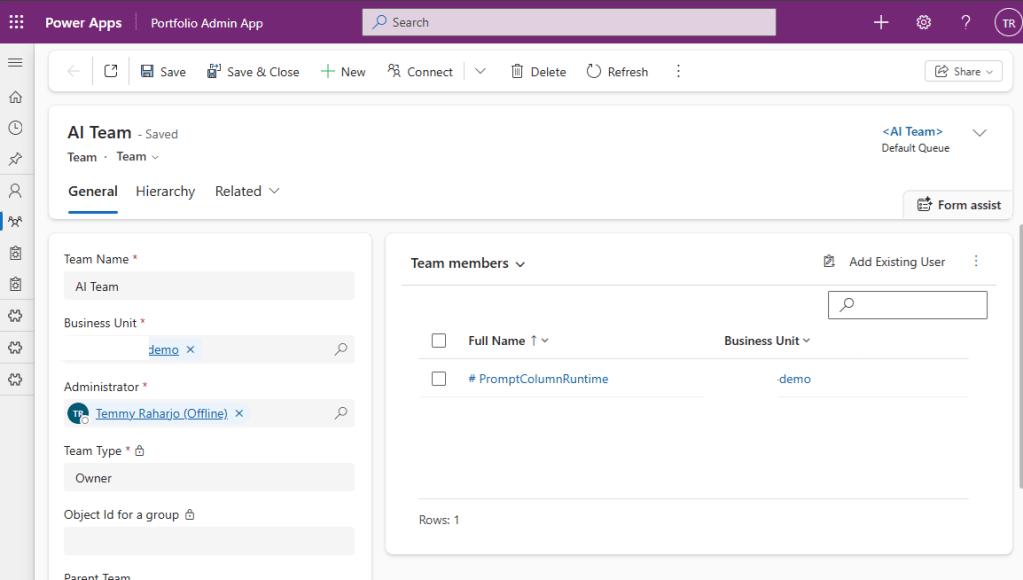
Assign the User to the Access Team
Result
After I've added the above, here is the result:
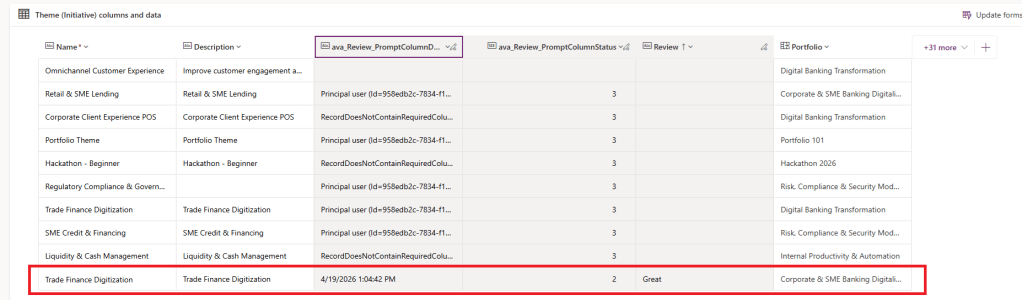
Result
Hope this helps, and happy CRM-ing! 🚀
Leave a comment
Your comment is sent privately to the author and isn't published on the site.