Let's learn about Dataverse - BulkDeleteRequest
BulkDeleteRequestis a feature in Dataverse that we can use to delete data across multiple tables. It is based on a scheduler (optional) and runs in an asynchronous process (as this process runs in the background, meaning this operation will not be performance-friendly). By creating a delete job in the UI, the deletion process will only affect a specific table. Hence, creating this job via code will make more sense to register multiple deletions. So, today we will explore this feature!
Create From UI
To create the job from UI, you can go to Settings > Advance Settings >System Jobs > More Actions > Bulk Delete:
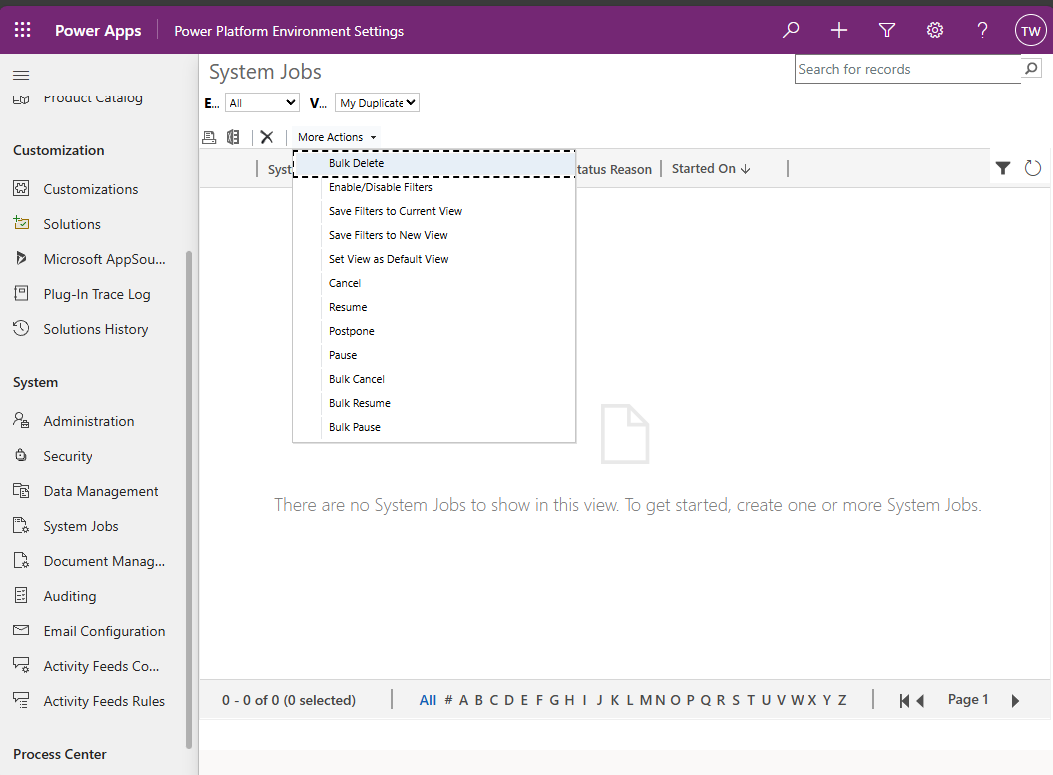
Create Bulk Delete from UI
Once the popup is shown, you can choose the Table that you want to work > define the query (from new/existing views):
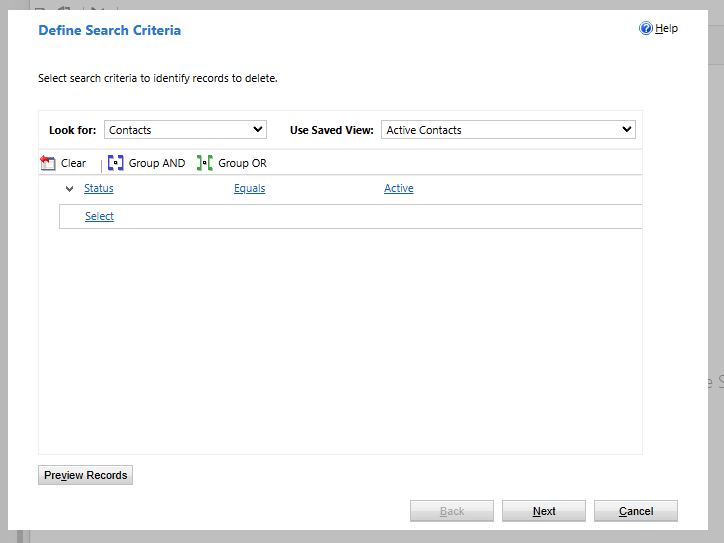
Define Search Criteria
Next, you can define the start time, and a recurrence strategy, and also send an email notification after the deletion is done:
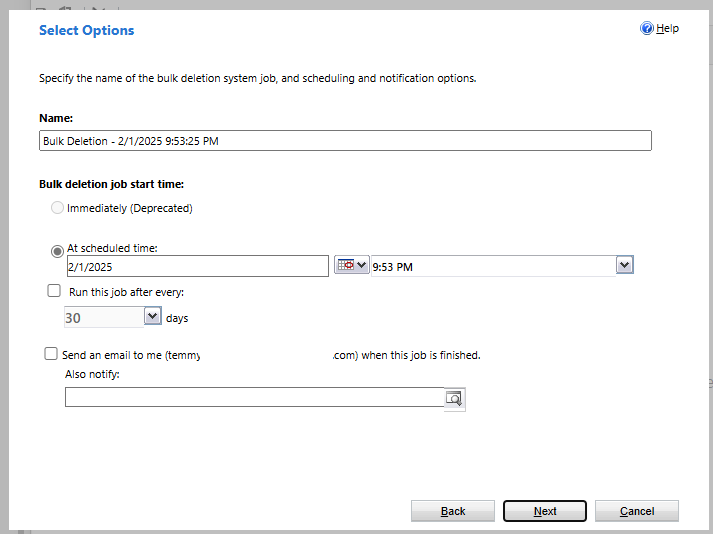
Setting the start time, and a recurrence strategy, and also sending an email notification after the deletion is done
BulkDeleteRequest's Properties
Let's break down one by one of the Properties:
var queryContact = new QueryExpression("contact")
{
    ColumnSet = new ColumnSet("contactid")
};
queryContact.Criteria.AddCondition("contactid", ConditionOperator.Equal, new Guid("65e18bfb-4dd6-ef11-a72f-000d3a59611f"));

var request = new BulkDeleteRequest
{
    JobName = "Bulk Delete Contact",
    QuerySet = [queryContact],
    StartDateTime = DateTime.UtcNow.AddMinutes(2),
    RecurrencePattern = "FREQ=DAILY;INTERVAL=3", // Every 3 Days
    SendEmailNotification = true,
    ToRecipients = [new Guid("4f10e027-051f-ef11-840a-6045bd05b598")],
    CCRecipients = Array.Empty<Guid>(),
};

var response = (BulkDeleteResponse)service.Execute(request);

Console.WriteLine($"Bulk Delete Job ID: {response.JobId}");
- JobName: It will create a record in the AsyncOperationand BulkDeleteOperationtable with this name.
- StartDateTime: DateTime to start the job.
- QuerySet: Array of QueryExpression for the job to pick up and delete. Query limits such as *TOPCount*will not work.
- RecurrencePattern: If you don't want to make it recurrence, you can give an empty string (""). Otherwise, you can use the pattern that is being mentioned here (or you just can ask AI to generate the command by using RFC2445 iCalendarStandard xxx). The recurrence pattern will only work a minimum "Daily". Otherwise, you will get an error: 'Bulk Delete and Duplicate Detection recurrence must be specified as daily.'.
- SendEmailNotification: boolean to send a notification after the job is done. If you set it as yes, then you need to fill in the SystemUserId in ToReceipients and CCReceipients.
After execution, it will return JobId which is the AsyncOperationId that we can inspect via SQL4CDS or via UI:
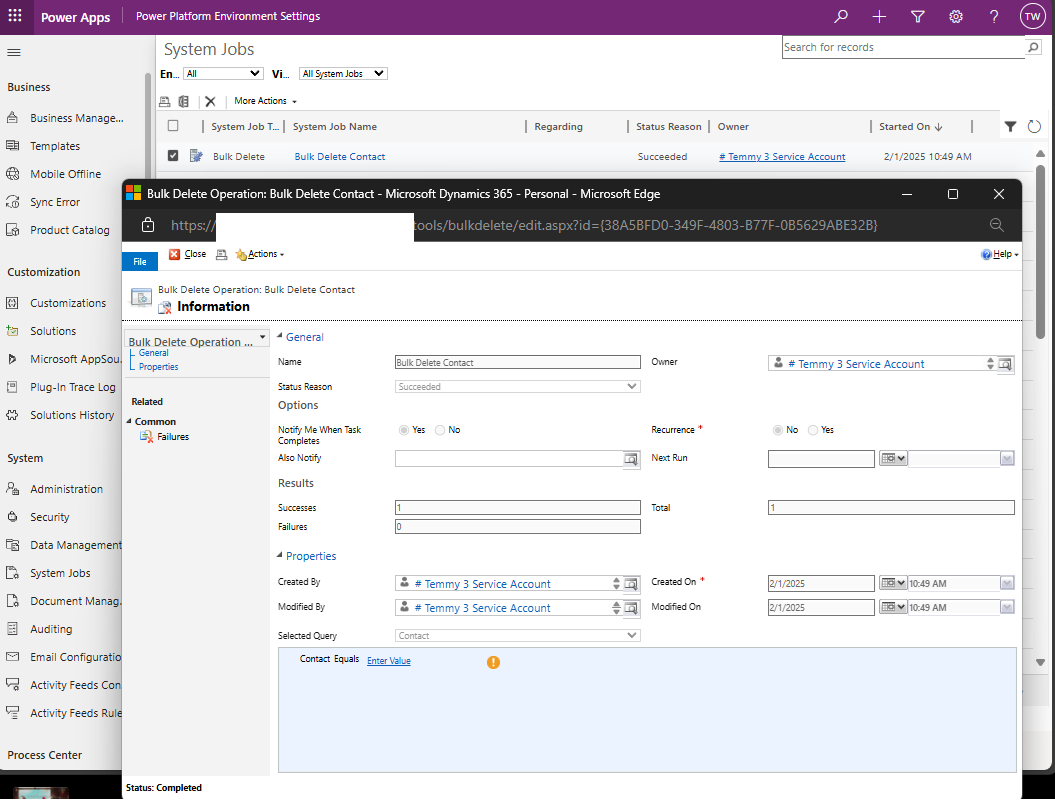
System Jobs generated
After the deletion is done, you can see it will trigger an email with the below format (as I'm not set the server-side synchronization, hence the email is stuck in the "Pending Send" state) :
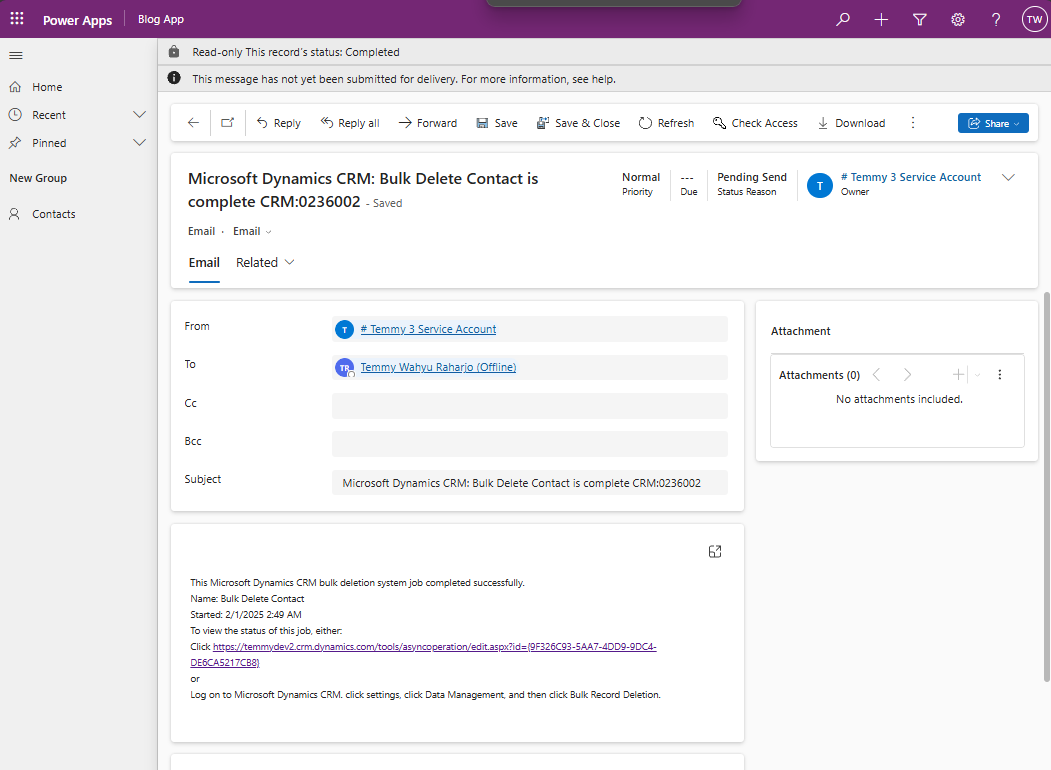
Email notification for successful deletion
Delete Multiple Tables
For this demo, I run the below code:
var queryContact = new QueryExpression("contact")
{
    ColumnSet = new ColumnSet(false)
};
queryContact.Criteria.AddCondition("statecode", ConditionOperator.Equal, 0);

var queryParent = new QueryExpression("tmy_parent")
{
    ColumnSet = new ColumnSet(false)
};
queryParent.Criteria.AddCondition("statecode", ConditionOperator.Equal, 0);

var queryChild = new QueryExpression("tmy_child")
{
    ColumnSet = new ColumnSet(false)
};
queryChild.Criteria.AddCondition("statecode", ConditionOperator.Equal, 0);

var queryBenchmark1 = new QueryExpression("tmy_benchmarktable1")
{
    ColumnSet = new ColumnSet(false)
};
queryBenchmark1.Criteria.AddCondition("statecode", ConditionOperator.Equal, 0);

var queryBenchmark2 = new QueryExpression("tmy_benchmarktable2")
{
    ColumnSet = new ColumnSet(false)
};
queryBenchmark2.Criteria.AddCondition("statecode", ConditionOperator.Equal, 0);

var request = new BulkDeleteRequest
{
    JobName = "Bulk Delete Collection",
    QuerySet = [queryContact, queryParent, queryChild, queryBenchmark1, queryBenchmark2],
    StartDateTime = DateTime.UtcNow.AddMinutes(2),
    RecurrencePattern = "",
    SendEmailNotification = true,
    ToRecipients = [new Guid("f9e7905c-cf7a-ee11-8179-002248201668")],
    CCRecipients = Array.Empty<Guid>(),
};

var response = (BulkDeleteResponse)service.Execute(request);

Console.WriteLine($"Bulk Delete Job ID: {response.JobId}");
With the total records of all the tables equal to 363.502 rows, it took almost 6 hours to delete it (yeah, I know Dataverse deletion is very slow 🥲).
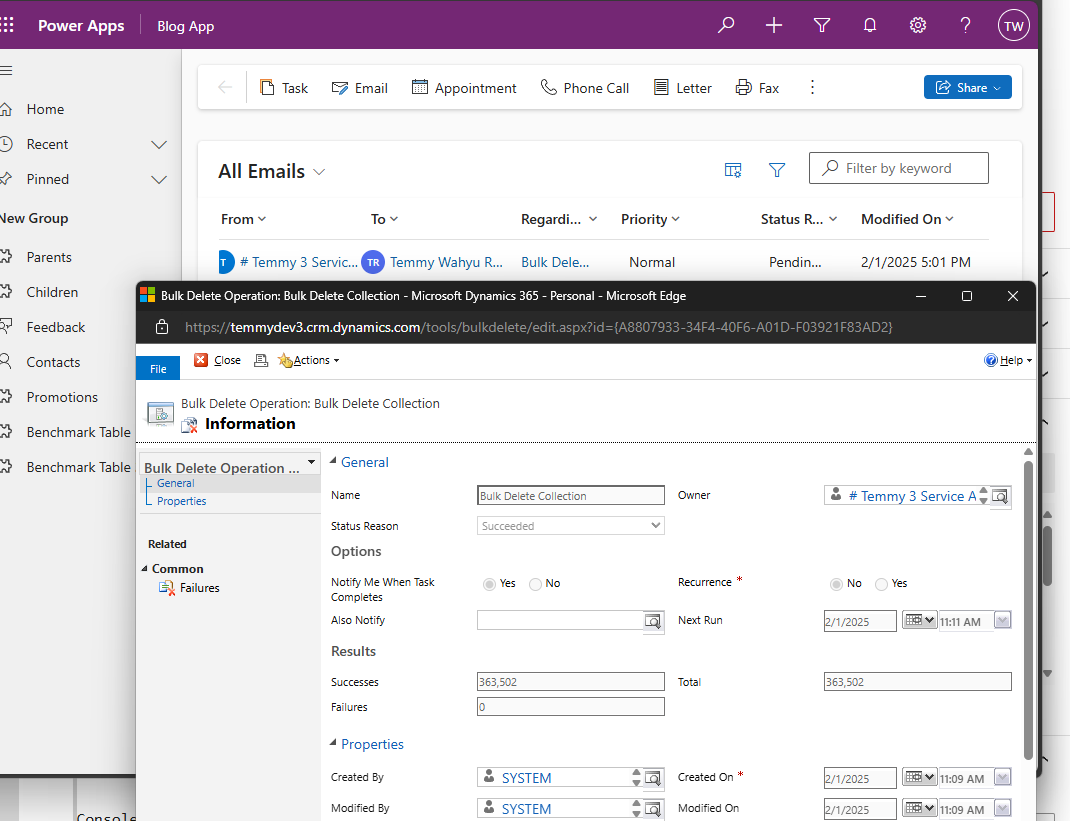
Delete job result
From System Job, you also can see what are the criteria for the deletion:
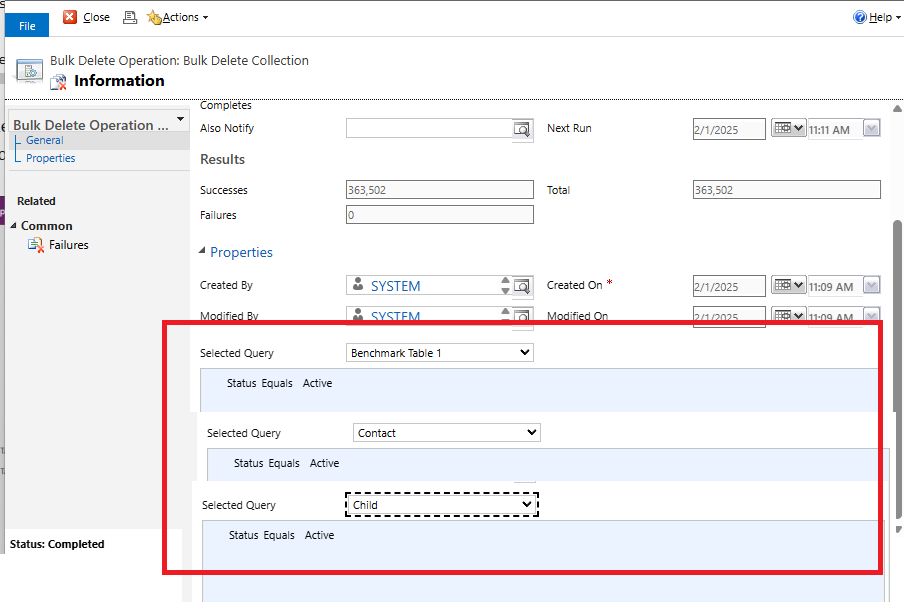
System Job UI
Conclusion
The below table summarizes the differences between BulkDeleteRequestand ExecuteMultipleRequest (DeleteRequest):
| Information | BulkDeleteRequest | ExecuteMultipleRequest |
|---|---|---|
| Multiple Tables | Supported via passing QueryExpression | Supported. But, we need to populate the DeleteRequestfor each of the rows. |
| Processing Mode | Asynchronous from the Dataverse backend server. | Run on the server requesting it. |
| Bypass Plugins | Before the job begins, you need to create a logic to disable the Plugin (there is a risk of other operations bypassing the plugin). | On each of DeleteRequest, we can add optional parameters. |
| Notification | OOB sending Email Notification. | Need custom code |
Happy CRM-ing! 🚀
Leave a comment
Your comment is sent privately to the author and isn't published on the site.