Dynamics Crm Merge Assemblies
Now I want to share how to merge multiple assemblies in the Dynamic CRM Environment. We used ILRepackas our merge tool because the result is smaller compared to ILMerge.
For this tutorial, we will embed the command for merging in .csproj, so every time we build our project. The result in the bin folder is already merged.
- In your current project, right-click and add NuGet package > search ILRepack and install it. Or you can open NuGet Package Manager and install it using "Install-Package ILRepack -Version 2.0.15"
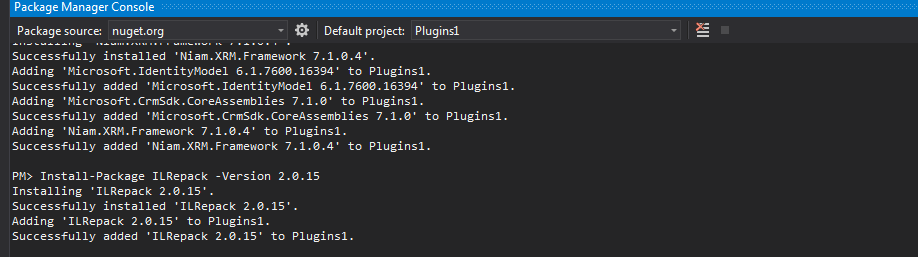
- After you finish downloading and setting up your Nuget, save all of your projects. Then open your .csproj with another editor and put the command for merging
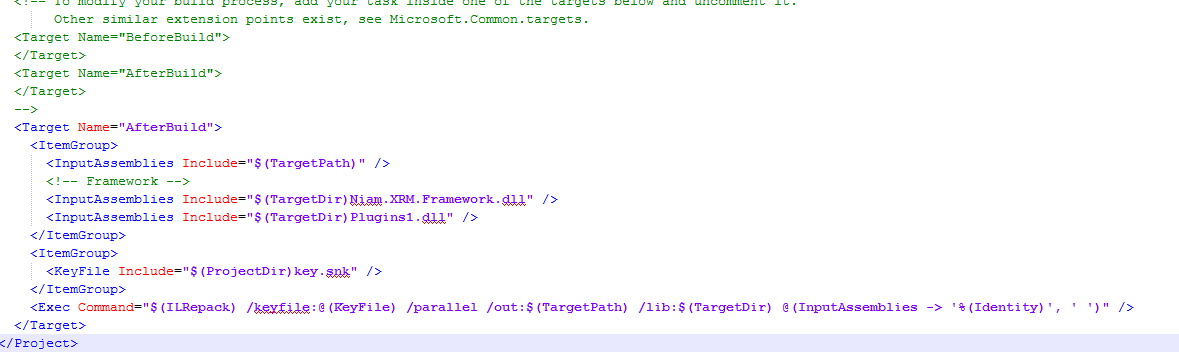
<Target Name="AfterBuild"> <ItemGroup> <InputAssemblies Include="$(TargetPath)" /> <!-- Framework --> <InputAssemblies Include="$(TargetDir)Niam.XRM.Framework.dll" /> <InputAssemblies Include="$(TargetDir)Plugins1.dll" /> </ItemGroup> <ItemGroup> <KeyFile Include="$(ProjectDir)key.snk" /> </ItemGroup> <Exec Command="\((ILRepack) /keyfile:@(KeyFile) /parallel /out:\)(TargetPath) /lib:$(TargetDir) @(InputAssemblies -> '%(Identity)', ' ')" /> </Target>
You can put all the needed assemblies in that configuration and don't forget to put the snk file also. For this example, I put key.snk.
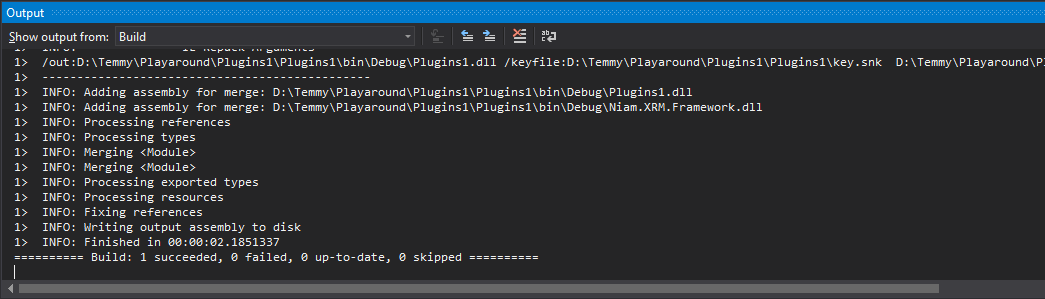
When you build your project, you will notice your output will have this result:
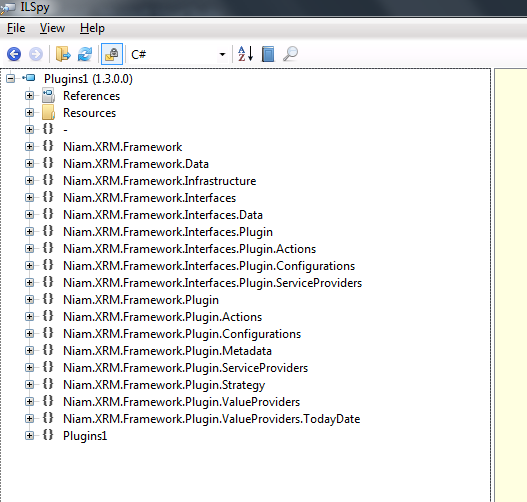
For checking, you can open your dll using ILSpy to check if it is already merged or not:
Leave a comment
Your comment is sent privately to the author and isn't published on the site.