Consume WCF from SSRS Report
Now we prepare our WCF Service first. I created a new WCF Application Service. Then for demo purposes, I create a simple method for returning dummy data:
public MemberValue[] Test(int number)
{
return new[]
{
new MemberValue { Member = "Temmy", Status = "Active"},
new MemberValue { Member = "Low Ming Hua", Status = "Active"},
new MemberValue { Member = "Yong Hui Leng", Status = "Active"},
};
}
The MemberValue class:
[DataContract]
public class MemberValue
{
[DataMember]
public string Member { get; set; }
[DataMember]
public string Status { get; set; }
}
At the SSRS Report, we create a new Data Source to point to our web service. We choose to use a connection embedded in my report then choose Select Connection Type as XML. Then on the Connection string, we write down our web service URL:
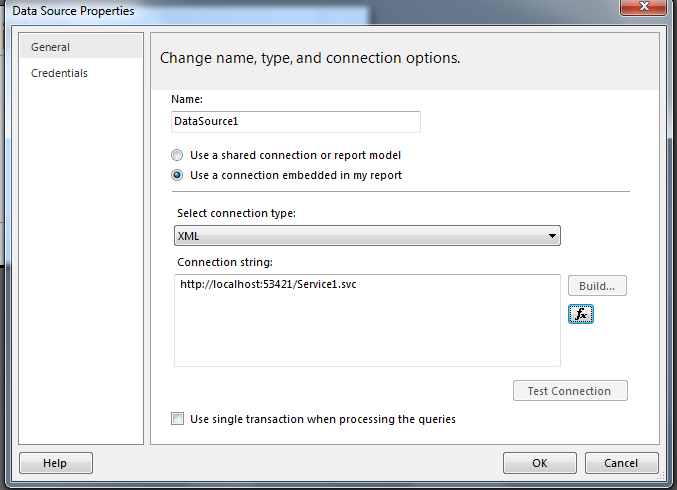
Then we can create a new Dataset, choose to Use a dataset embedded in my report. Choose an existing dataset. Then on the query you can put:
<Query> <Method Name="Test" Namespace="http://tempuri.org/"> </Method> <SoapAction>http://tempuri.org/IService1/Test</SoapAction> </Query>
Query and Method tag is a must. You put your method name in the Method. For the SoapAction tag, you can get this value from the XML tab on the WCF Test Client when you already executed your request.
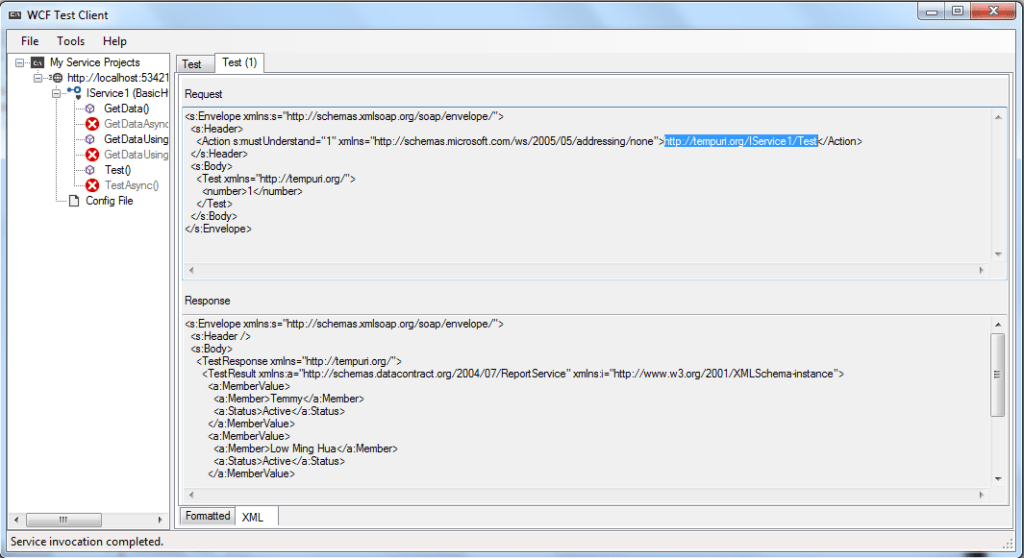
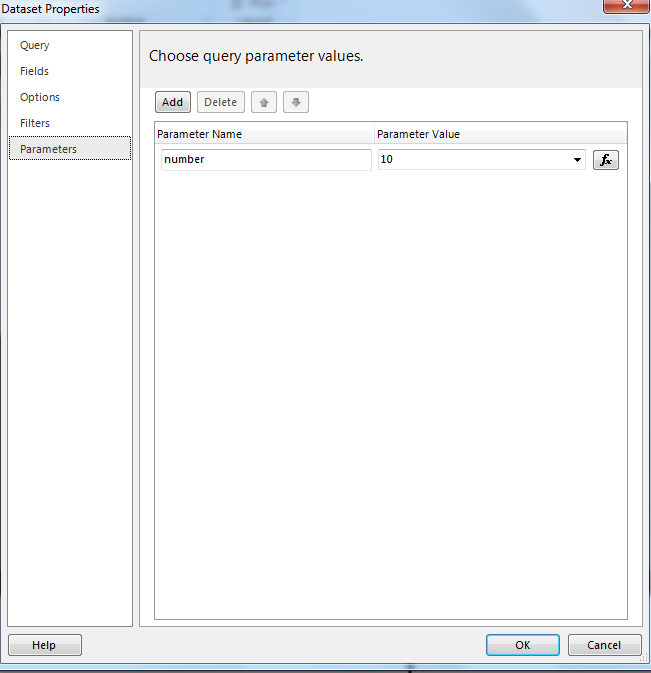
If your Web Service Method needs parameters from your report, you can pass SSRS parameters to your method easily using dataset Parameters. If you define parameters, your parameter name should be exactly the same.
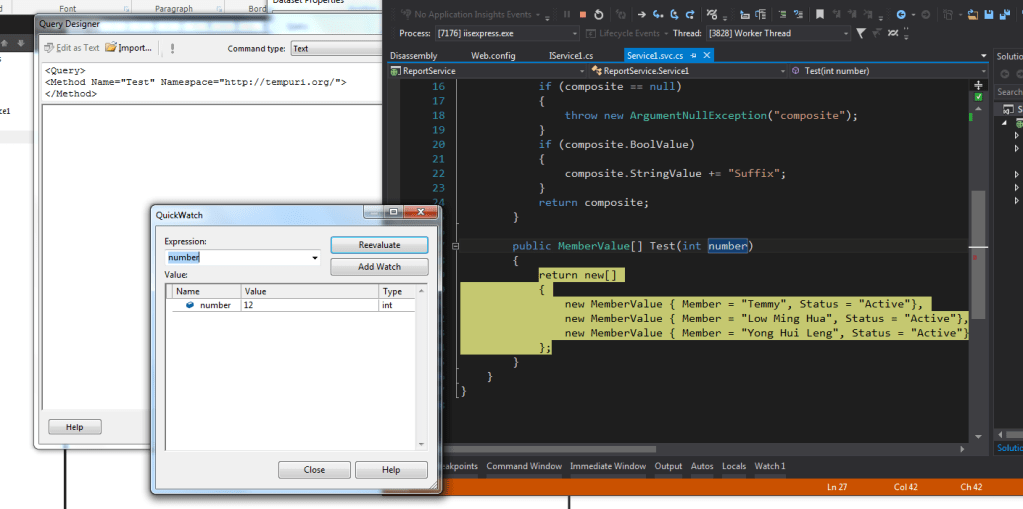
Then if you test your report, you can debug the process also:
Leave a comment
Your comment is sent privately to the author and isn't published on the site.