Dataverse: How to use the condition operator or in multiple tables in FetchXML
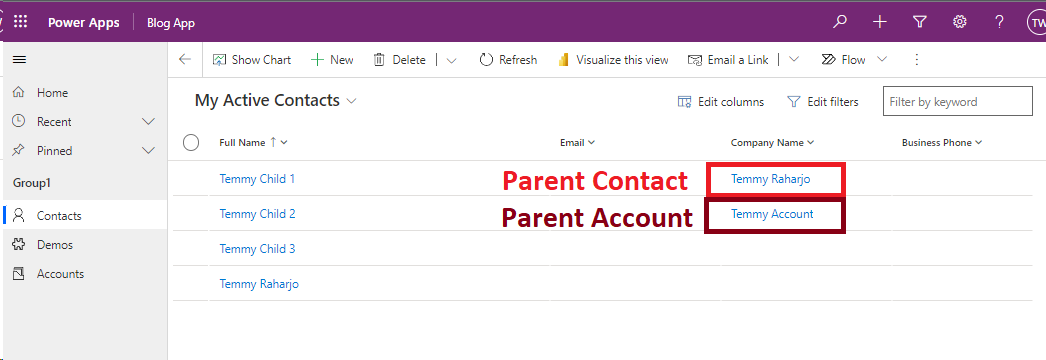
Today we will learn how to use the conditional operator "Or" when applying addPresearchin Javascript (but you also can implement it from the backend too). The scenario that we will apply is, on the Contact table, we have a lookup to Parent Contact/Account. In the below image, we can see that I prepare data where there is Contact that have Parent Account and Parent Contact:
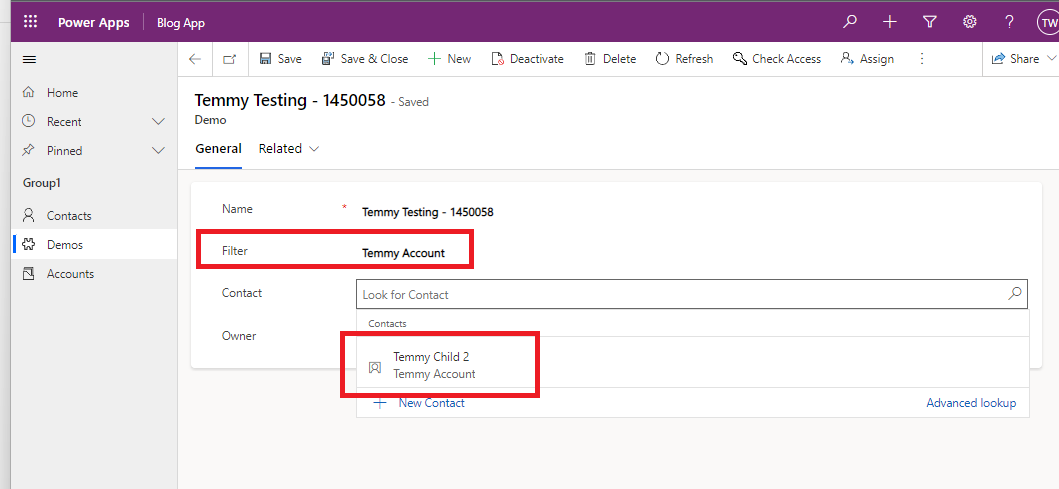
Then I prepare below Form where we have the Filter attribute to filter the Contact shown:
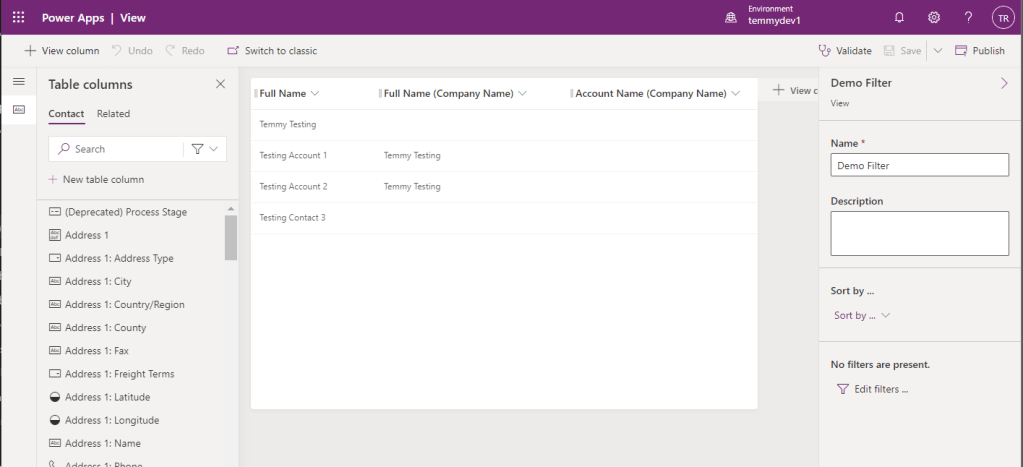
Then in Contact, I created a new View named "Demo Filter" where I pull the Full Name from the parentcustomerid to Contact and Name from the parentcustomerid to Account:
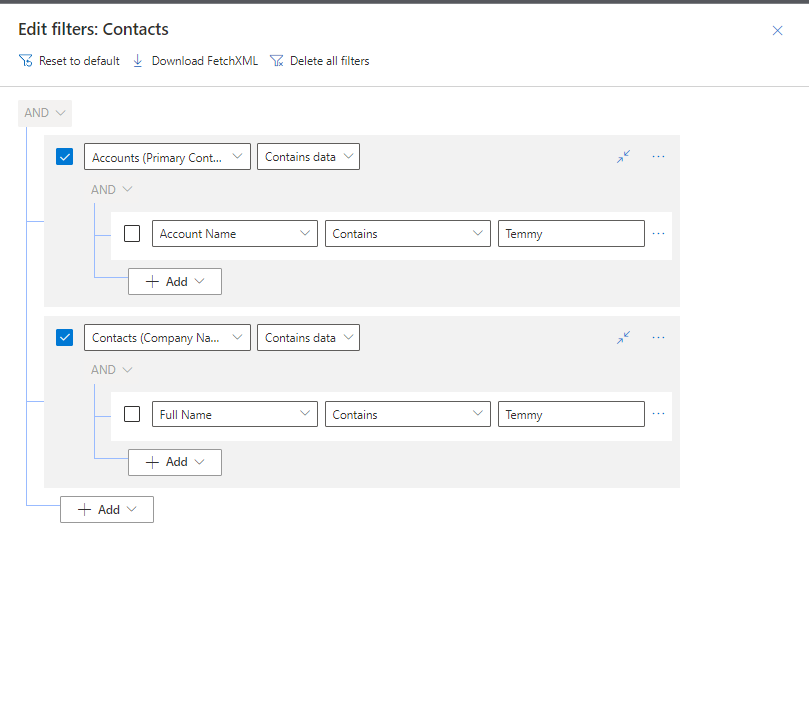
Then I tried to open Advance Find and try to build the Fetch XML. Unfortunately, we can't add the "OR" condition if cross entities (tables):
Luckily, we already have the mature tools in XRMToolBox. SQL4CDS by Mark Carrington can help us to generate the correct Fetch XML. First, I prepared the query:
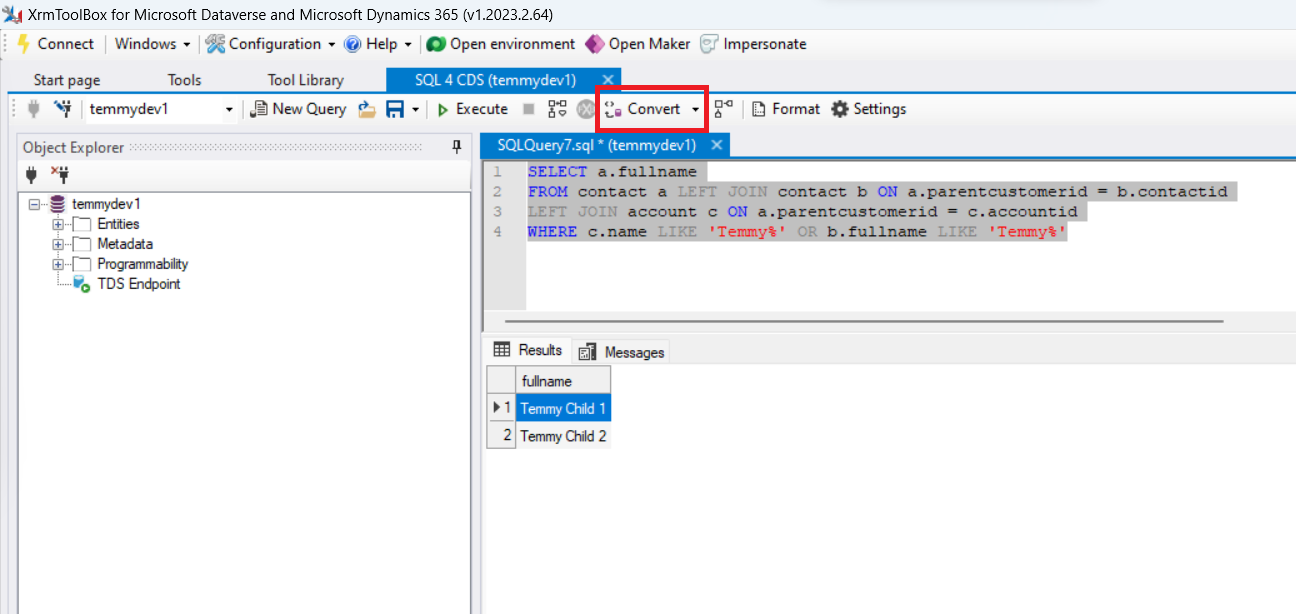
Once it is correct, you can press the Convert button > and select FetchXML which will be generated below text:
<!--
Created from query:
SELECT a.fullname
FROM contact a LEFT JOIN contact b ON a.parentcustomerid = b.contactid
LEFT JOIN account c ON a.parentcustomerid = c.accountid
WHERE c.name LIKE 'Temmy%' OR b.fullname LIKE 'Temmy%'
-->
<fetch xmlns:generator='MarkMpn.SQL4CDS'>
  <entity name='contact'>
    <attribute name='fullname' />
    <link-entity name='contact' to='parentcustomerid' from='contactid' alias='b' link-type='outer' />
    <link-entity name='account' to='parentcustomerid' from='accountid' alias='c' link-type='outer' />
    <filter type='or'>
      <condition attribute='name' entityname='c' operator='like' value='Temmy%' />
      <condition attribute='fullname' entityname='b' operator='like' value='Temmy%' />
    </filter>
  </entity>
</fetch>
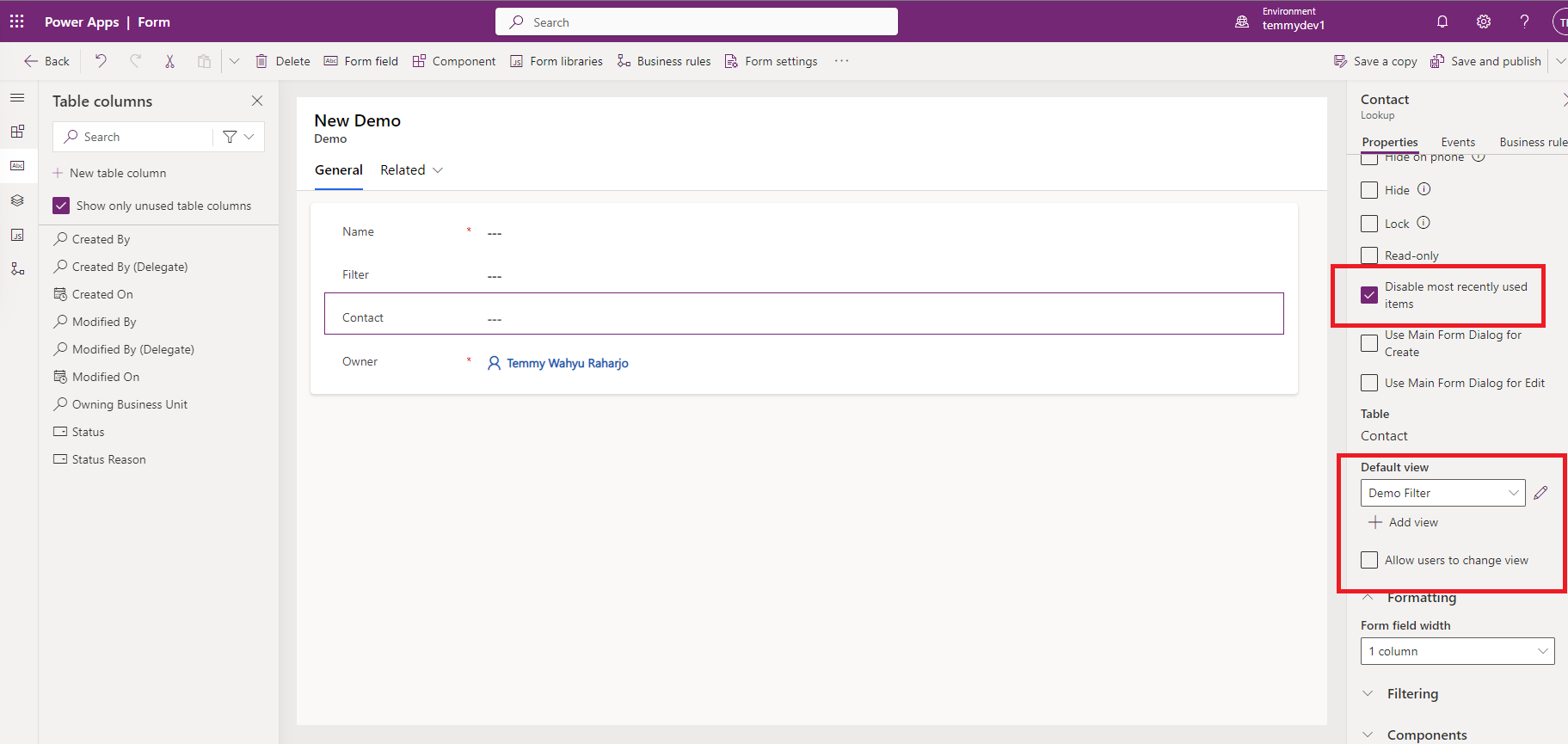
Those highlighted syntax can be used later on. But now we need to focus on the Demo form. I set the Default view for the Contact and like always, I disabled the MRU and unselect "Allow users to change view" (so we can avoid user can choose not valid data):
For the demo purposes, I created below Javascript where we need to call it on the Form On Load:
var demo = demo || {};
(function () {
    var filterFn = function (executionContext) {
        var formContext = executionContext.getFormContext();
        var filterText = formContext.getAttribute('tmy_filter').getValue();
        if (!filterText) return;
        var filter =
            `<filter type='or'>
                <condition attribute='name' entityname='c' operator='like' value='%${filterText}%' />
                <condition attribute='fullname' entityname='b' operator='like' value='%${filterText}%' />
            </filter>`;
        formContext.getControl('tmy_contact').addCustomFilter(filter);
    };
    this.onLoad = function (executionContext) {
        var formContext = executionContext.getFormContext();
        formContext.getControl('tmy_contact').addPreSearch(filterFn);
    };
}).apply(demo);
When we are testing the customization that we applied so far, I get the below error:
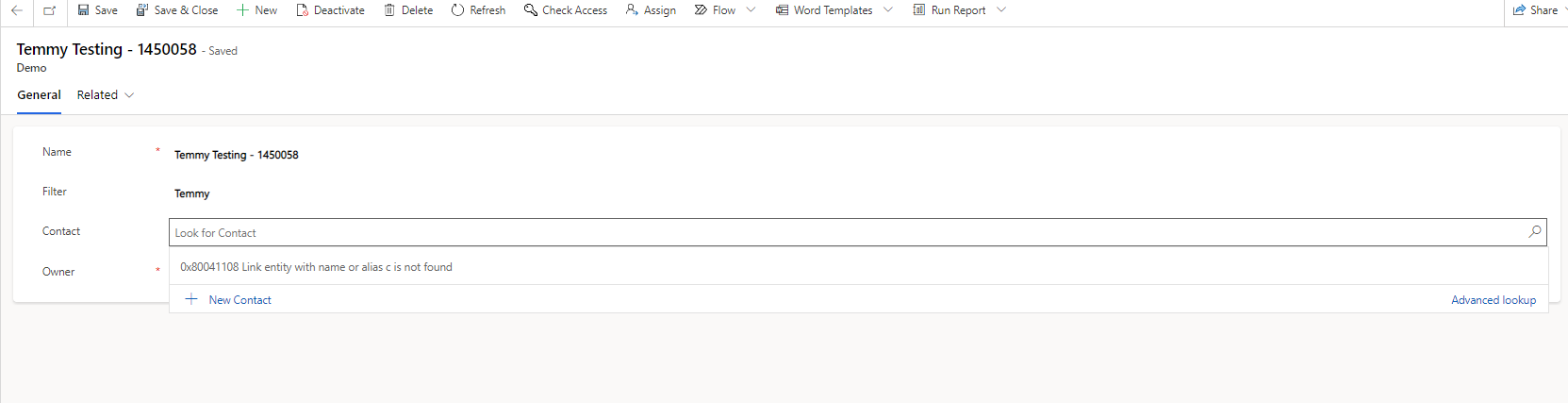
To inspect the error, open F12 (Developer Console) > go to Network > and then find the request for that particular action:
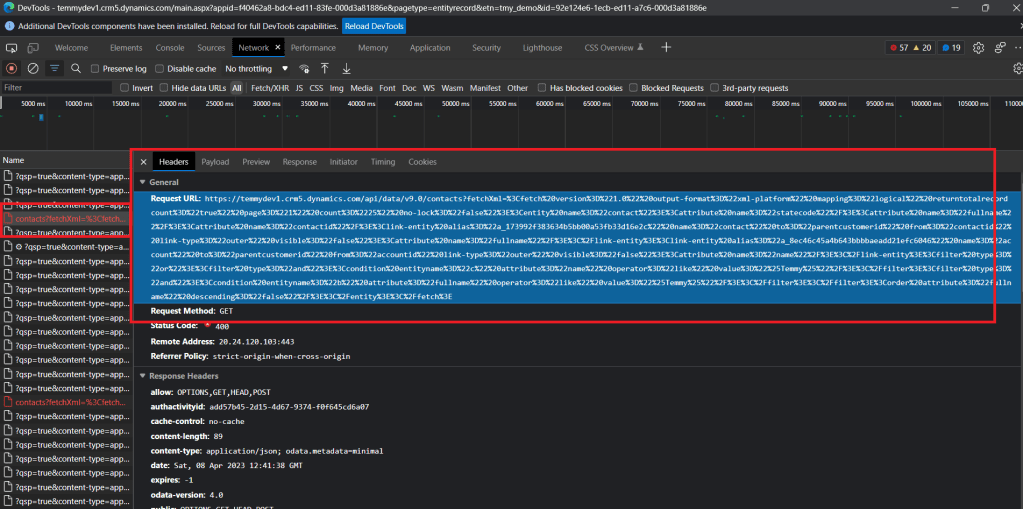
Go to Headers, and take the Request URL > right click > Copy value. Then open notepad / notepad++ and inspect the string (I'm using notepad++, using XML tools plugin to prettify the XML):
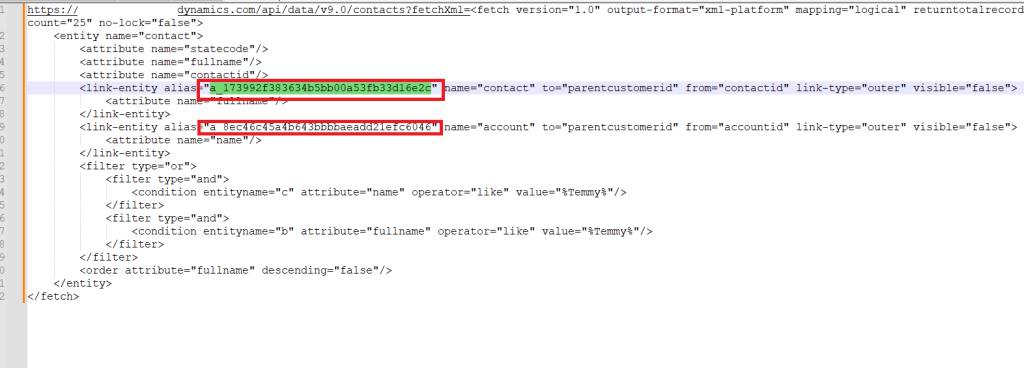
From here, you can see the entity alias where you can copy the name and fix our JS:
var demo = demo || {};
(function () {
    var filterFn = function (executionContext) {
        var formContext = executionContext.getFormContext();
        var filterText = formContext.getAttribute('tmy_filter').getValue();
        if (!filterText) return;
        var filter =
            `<filter type='or'>
                <condition attribute='name' entityname='a_8ec46c45a4b643bbbbaeadd21efc6046' operator='like' value='%${filterText}%' />
                <condition attribute='fullname' entityname='a_173992f383634b5bb00a53fb33d16e2c' operator='like' value='%${filterText}%' />
            </filter>`;
        formContext.getControl('tmy_contact').addCustomFilter(filter);
    };
    this.onLoad = function (executionContext) {
        var formContext = executionContext.getFormContext();
        formContext.getControl('tmy_contact').addPreSearch(filterFn);
    };
}).apply(demo);
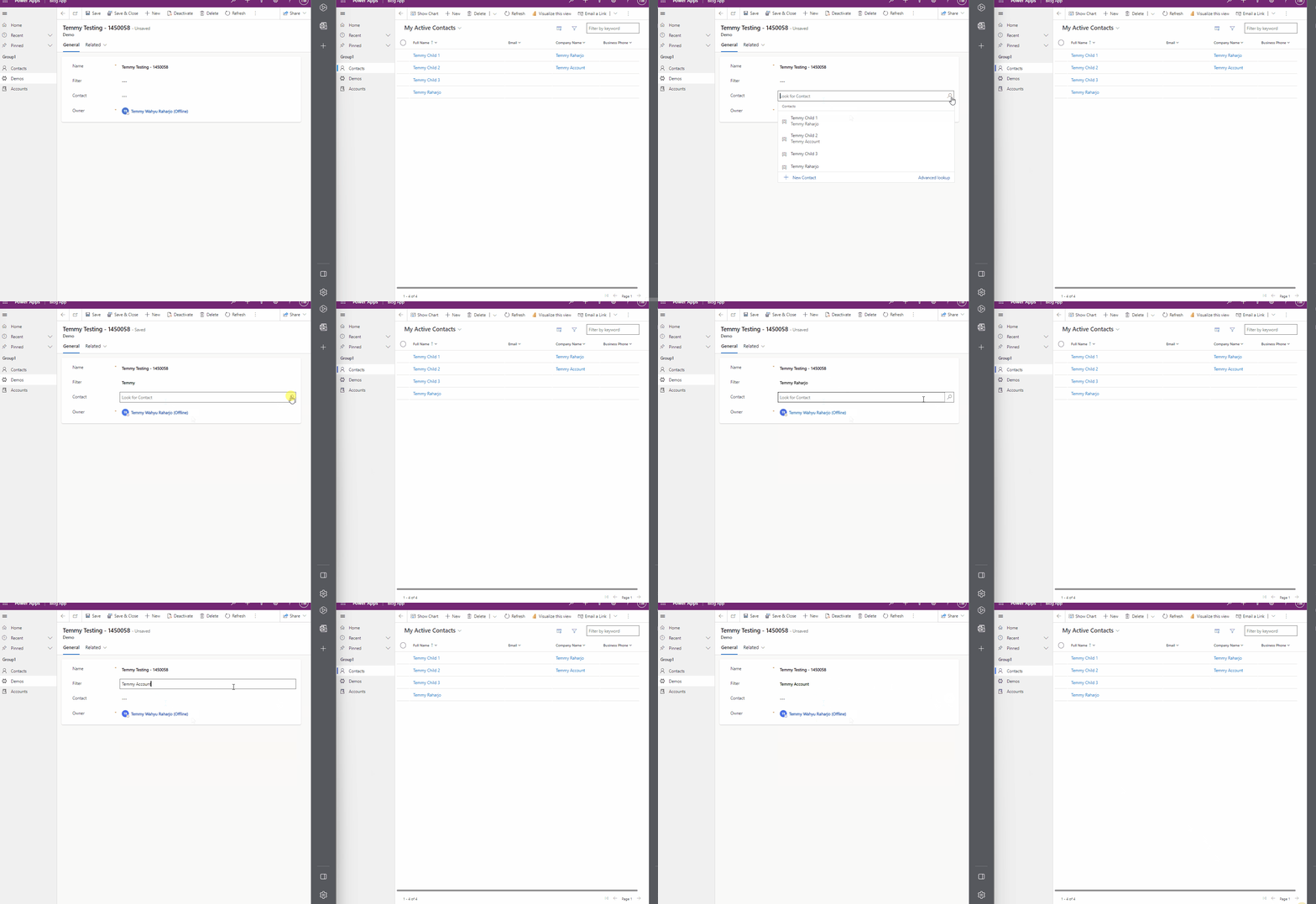
Finally! Here is the result:
Happy CRM-ing!
Leave a comment
Your comment is sent privately to the author and isn't published on the site.