(Preview) Let's try Dataverse Formula Column
Today, we will learn how to use Dataverse Formula Column where I think we can implement engaging scenarios. The scenarios are:
- Searching Related Table (Entity)
- Filtering lookup based on Selected Table Attribute
When I search this one, I found an interesting part in Joe Gill's blog post (you can read it here) where it will use Computed Fields in Azure SQL (again, you can learn more about the computed columns in SQL Server here).
Searching Related Table
This is quite a common scenario where we want to let users to able searching data based on the related table. For example, we want to search the order data based on the name of the customer or maybe we want to search order detail based on the product information.
In my demo, I prepare this table (lookup to Contact table) and created this new column:
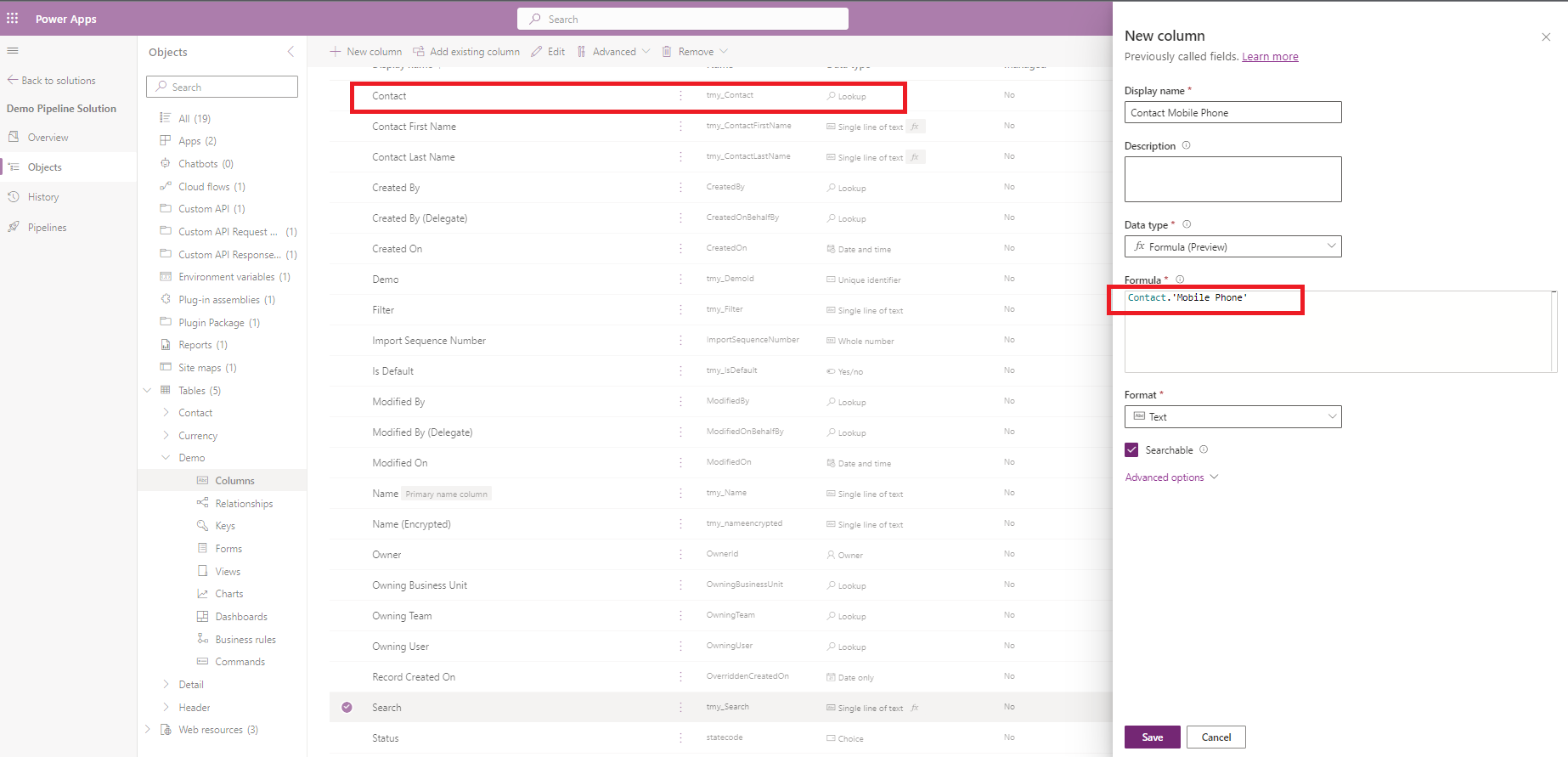
In the above screenshot, you can see that I can directly get the Contact.'Mobile Phone'. Meaning that the data will be copying the value from the Contact > 'Mobile Phone' column.
Once we click Save, then we just need to go to the Views of the selected Table > and edit the Quick Find View:
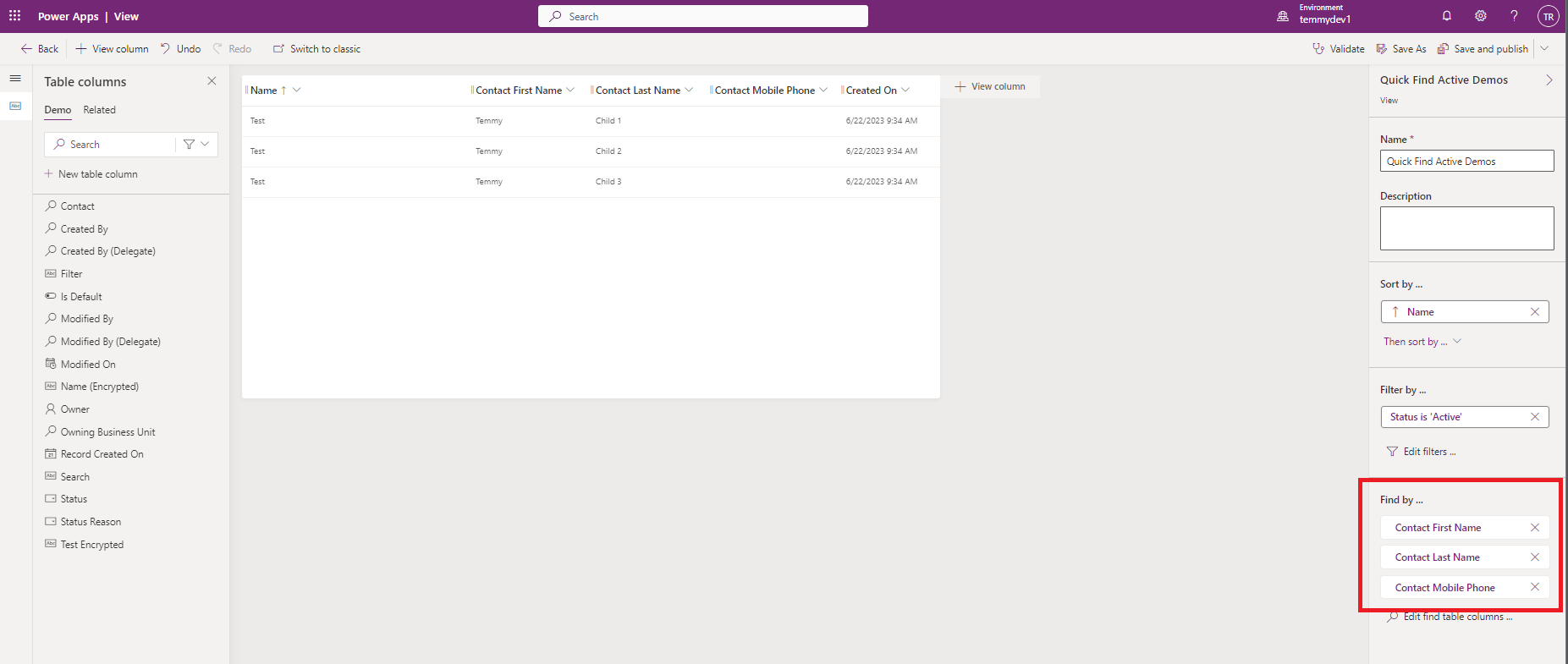
We just need to set the "Find by" to the columns we need and we are done. Click Save and publish and we are ready to test it:
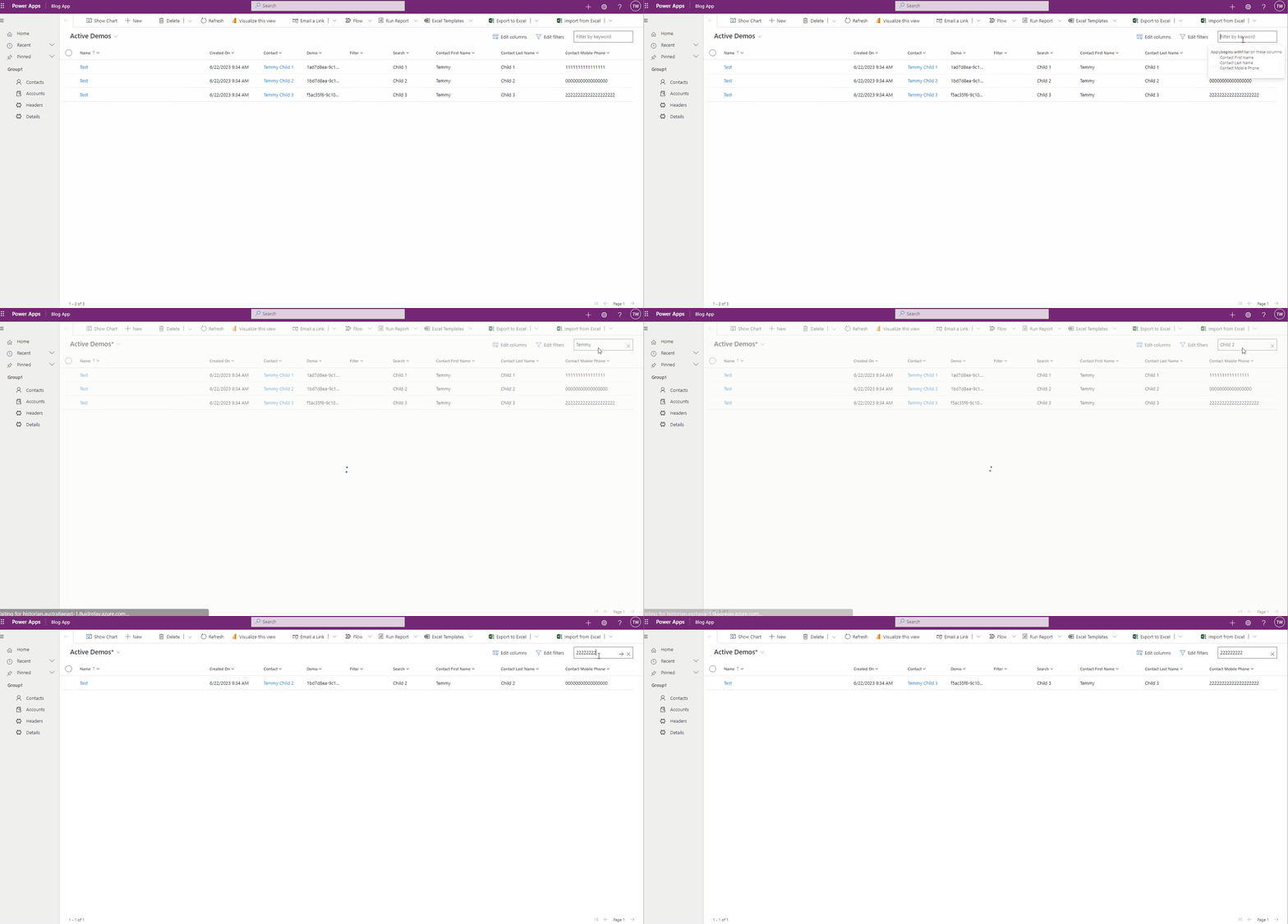
Filtering lookup based on Selected Table Attribute
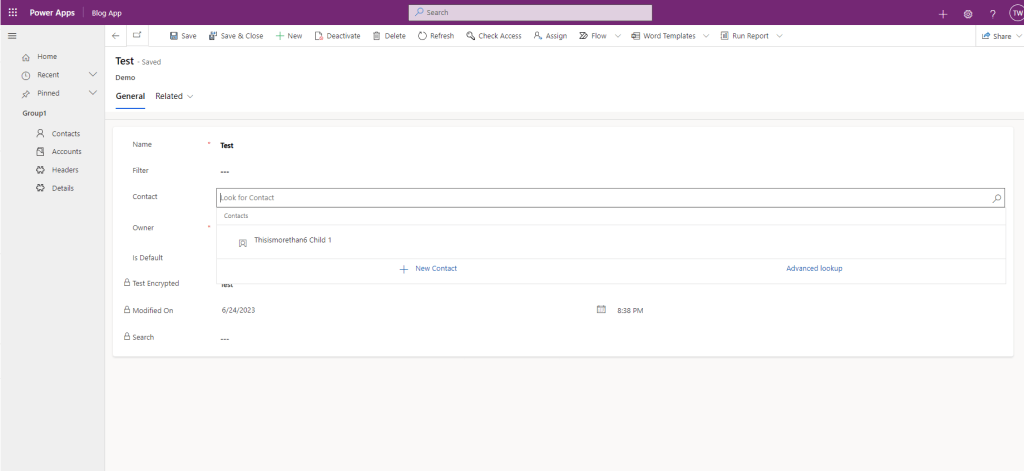
For example, we need to filter our data based on the related table of the lookup. Recently, I got a weird request to only allow users to select the data if the length of the name is more than 6. With this feature, we can do it easily.
First, we need to create the below column like below:
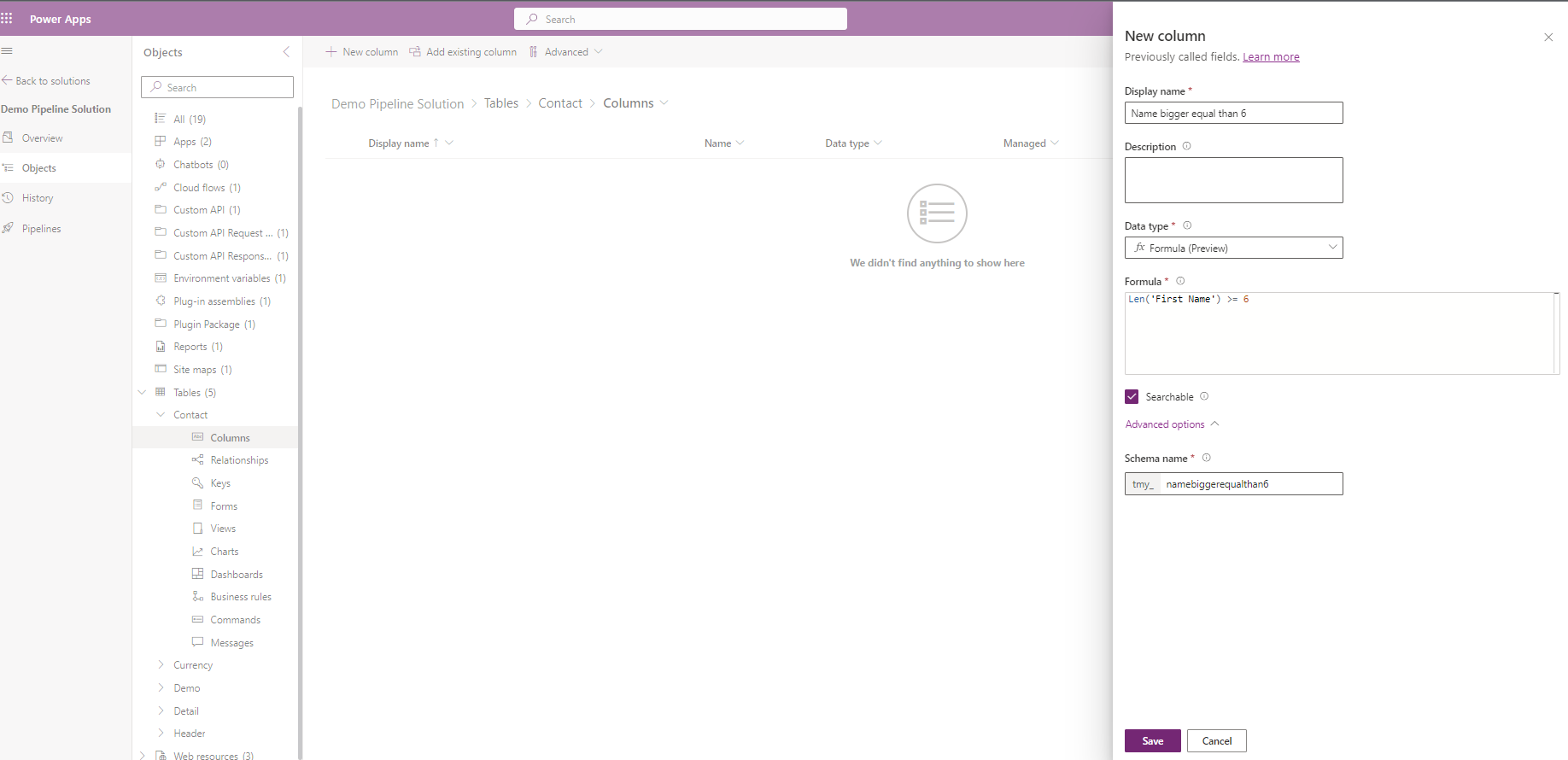
For this demo, we can use the Len function to get the length of the string value.
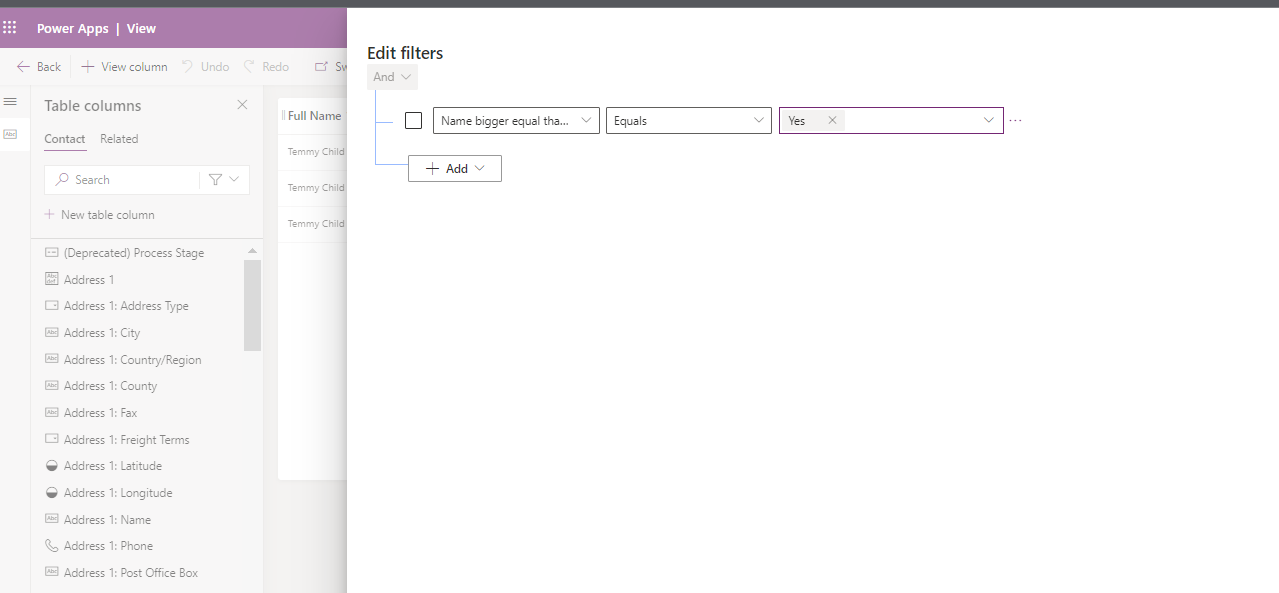
Then, to make it easier (without coding). We can create a view with the below filter:
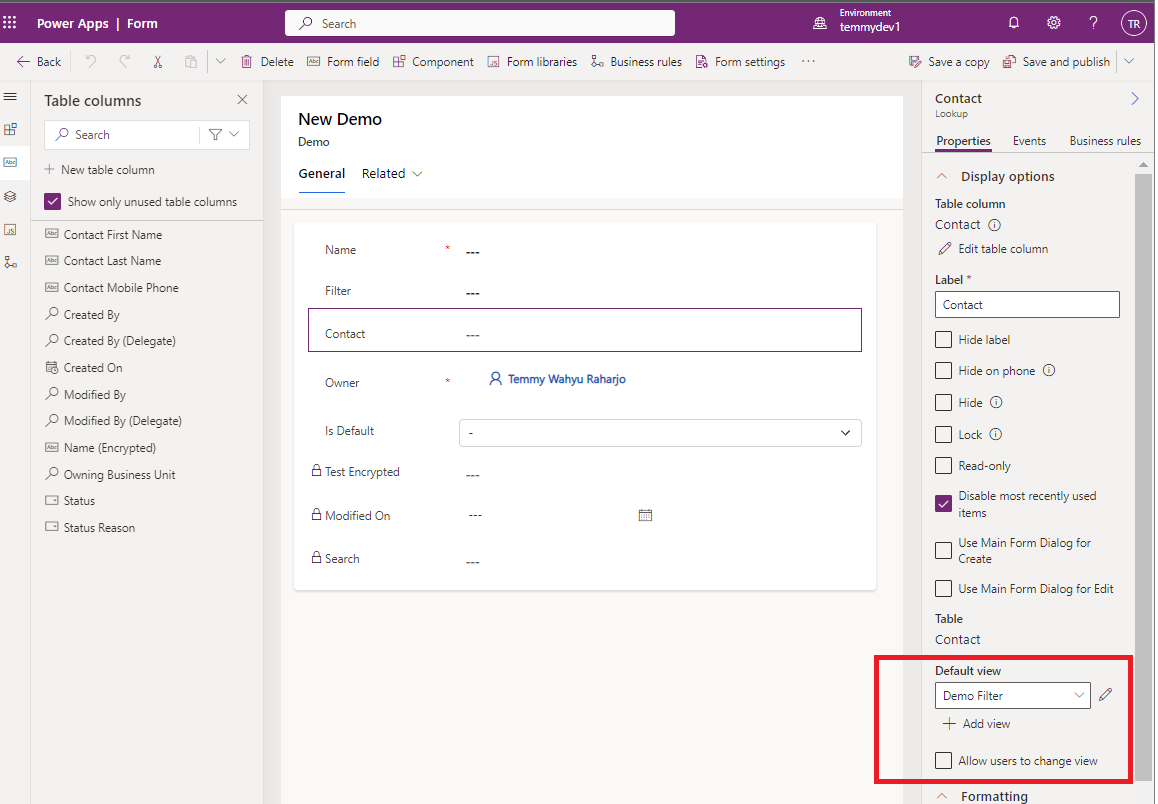
Last, we can set the form and only enable the above view (can't be changed):
Once set, we can publish all the changes and try:
I believe this feature is very handy. Sure there are still lots of improvements needed (or if we can call Dataverse Custom API directly, it will be very awesome)! But I believe, it can simplify lots of things 😎.
Happy CRM-ing!
Leave a comment
Your comment is sent privately to the author and isn't published on the site.