Model-Driven Apps: Disable most recently used items programmatically
When we are talking about lookup in MDA (Model Driven Apps), sometimes we are applying some filter (either using addPreSearchor setting it manually from control properties > view) to ensure the data that the user inputted is valid:
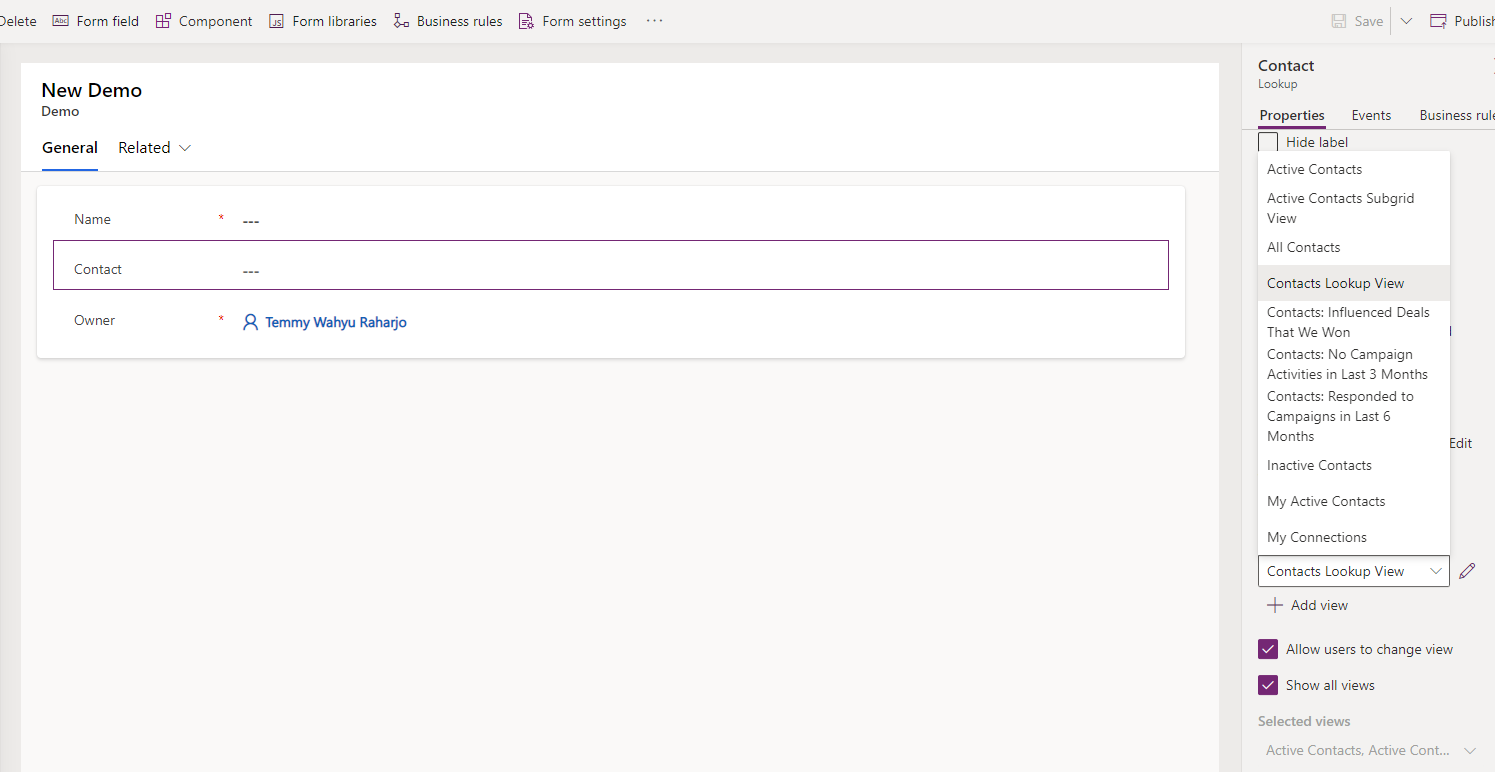
But, when we are not disabling the Most recently used items, it can ruin the filter as the items that show there are sometimes not related to the filter that we are applying. The simplest way to fix this is to disable the Most recently used items:
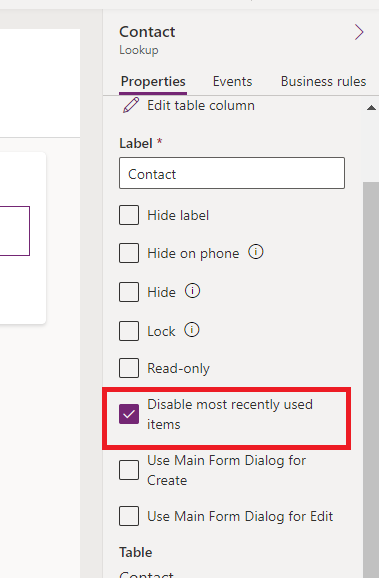
For that purpose, we can make a JavaScript library to achieve the same goals without needing to change the properties of the lookup one by one (for every table):
var library = library || {};
(function() {
    this.disableMruLookups = function(executionContext) {
        var formContext = executionContext.getFormContext();
        formContext.ui.controls.forEach(ctrl => {
            if(ctrl.getControlType() !== 'lookup') return;
            ctrl.disableMru = true;
        });
    }
}).apply(library);
var demo = demo || {};
(function() {
    this.onLoad = function(executionContext) {
        library.disableMruLookups(executionContext);
    };
}).apply(demo);
The key in the code above is we are scanning all the controls from formContext.ui.controls object. Once we can loop, then we need to filter only the lookup control that we want to set. Then the last step is to set the property disableMruto true.
For the demonstration, I just add this JavaScript and make sure to register it on the formOnLoad:
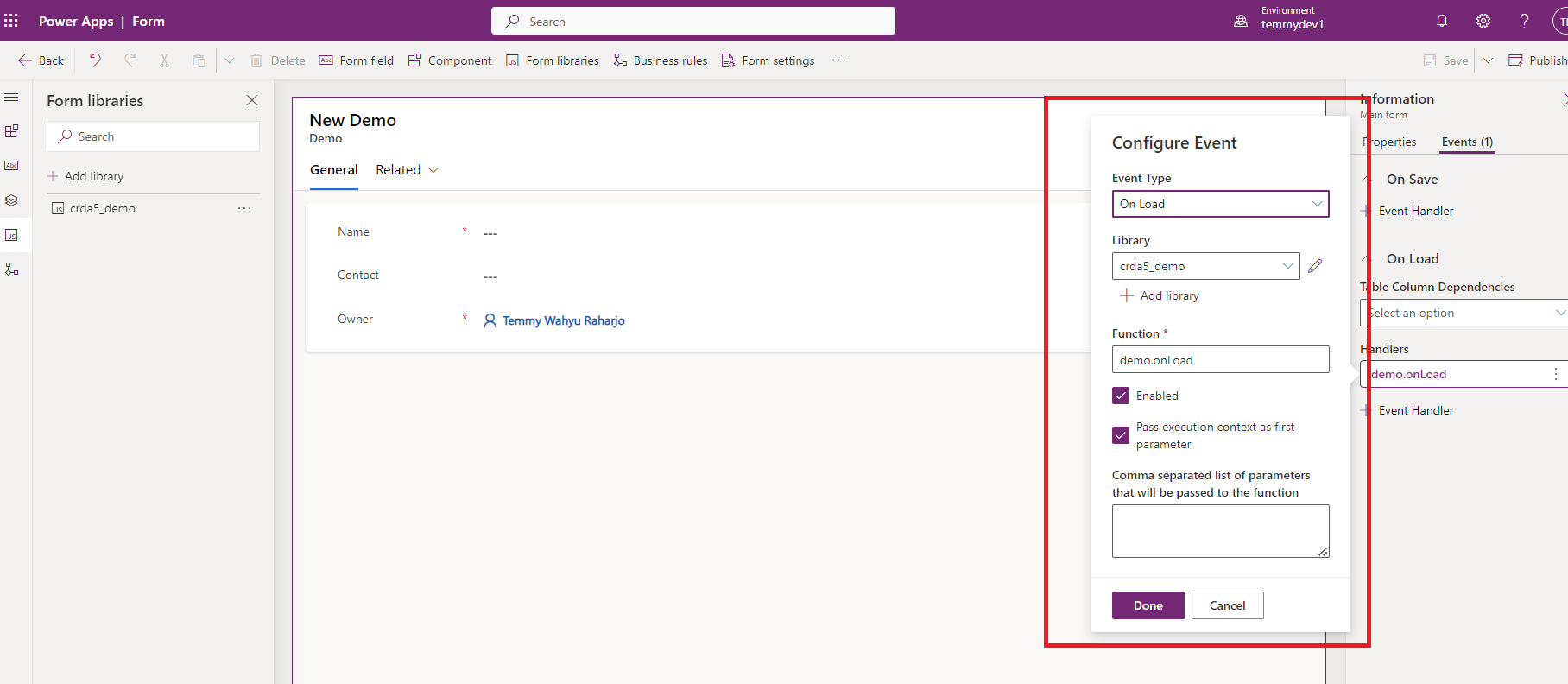
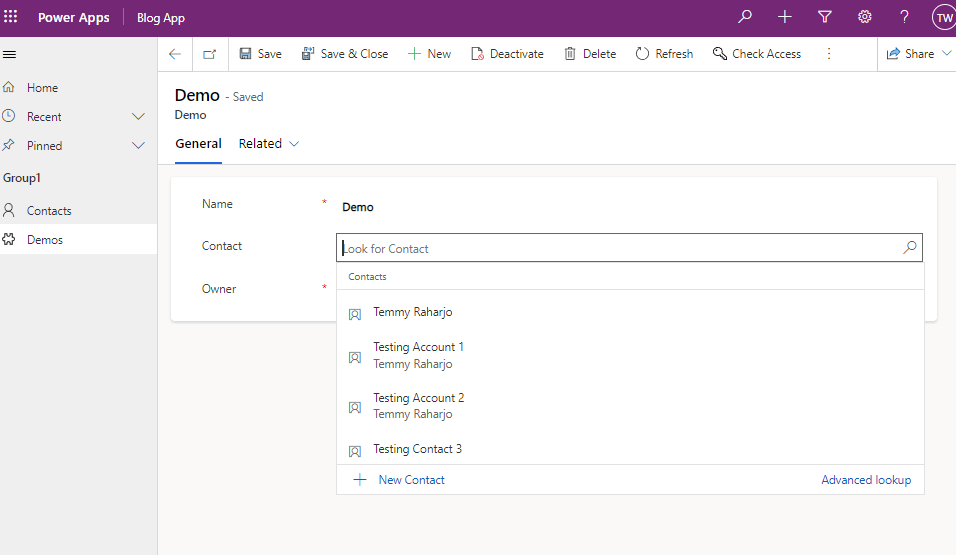
Below is the result:
Happy CRM-ing!
Leave a comment
Your comment is sent privately to the author and isn't published on the site.