MDA: Send In-App Notification using Instant plug-in and call it from Ribbon Button
In this blog post, we will learn how to sendModel Driven Apps In-App notifications using an Instant plug-in (Dataverse Accelerator App). For those who don't know, Instant Plug-in will help to create a custom API in Dataverse which we can reuse in every part that needs (On Plugin, Power Automate, etc). The trigger point will be using the Ribbon button that will call JS code (as per writing, the existing Power Fx method is unable to call the plugin - not an error, just can't work 🥲). Let's go into the implementation!
Scenario and preparation
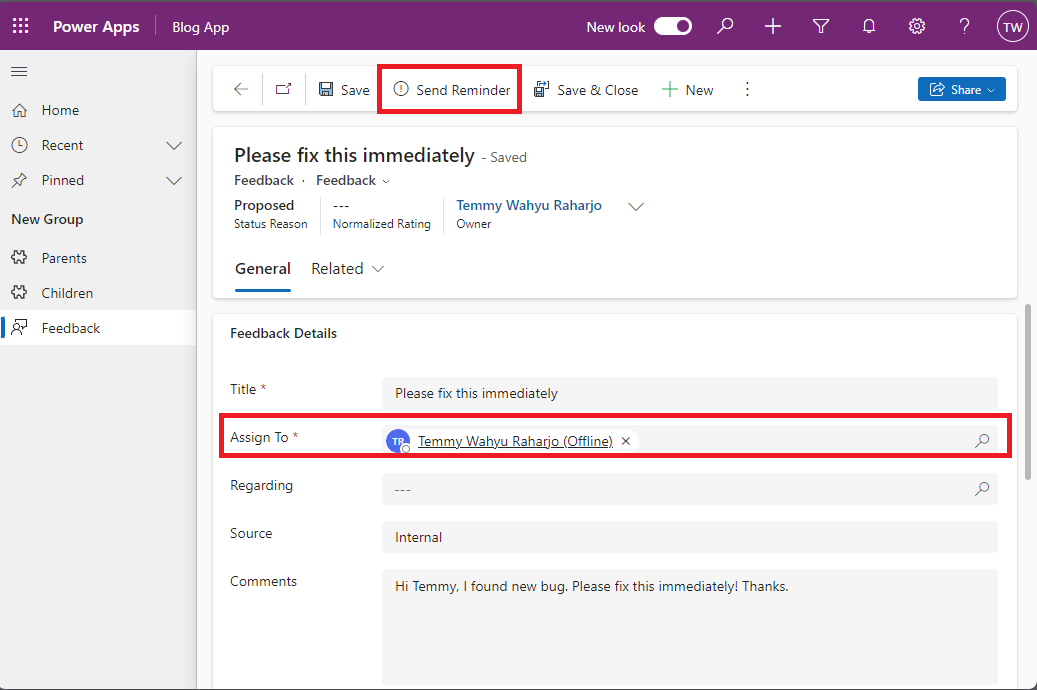
For the scenario, I will use the existing Feedback form and add a new property named "Assigned To" that will be linked to the User. Then, in the Main Form, we will add a ribbon button (Send Reminder) to trigger the function necessary that will be explained later:
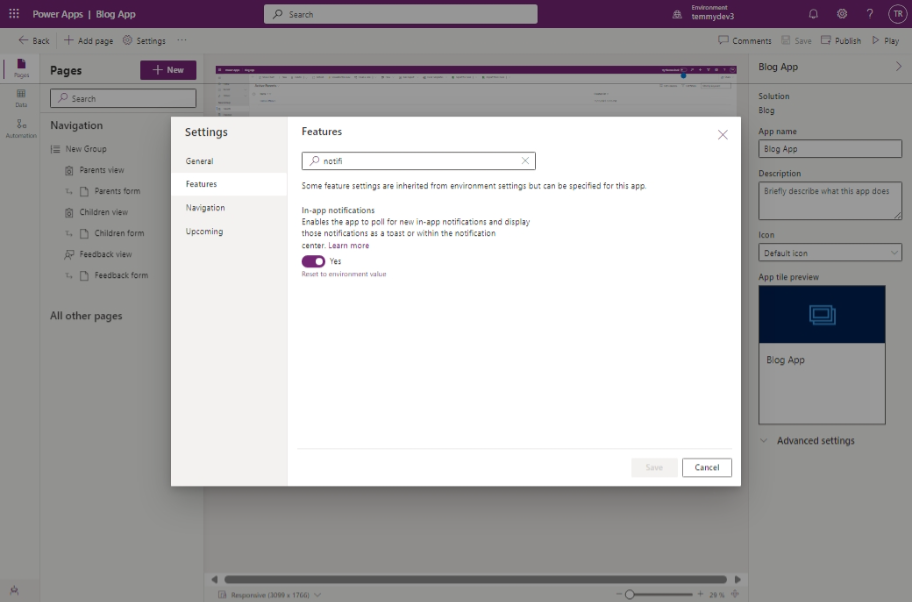
Because we will use In-App notifications, you also need to enable this feature from the App settings:
Last, you also need to ensure the Dataverse Accelerator App is installed.
Create instant plug-in
Though you can implement the same things via code, this functionality can be implemented faster using the low-code approach. Here is the code for the function (which I also copy-paste and modified a bit from the sample documentation to add the parameters necessary):
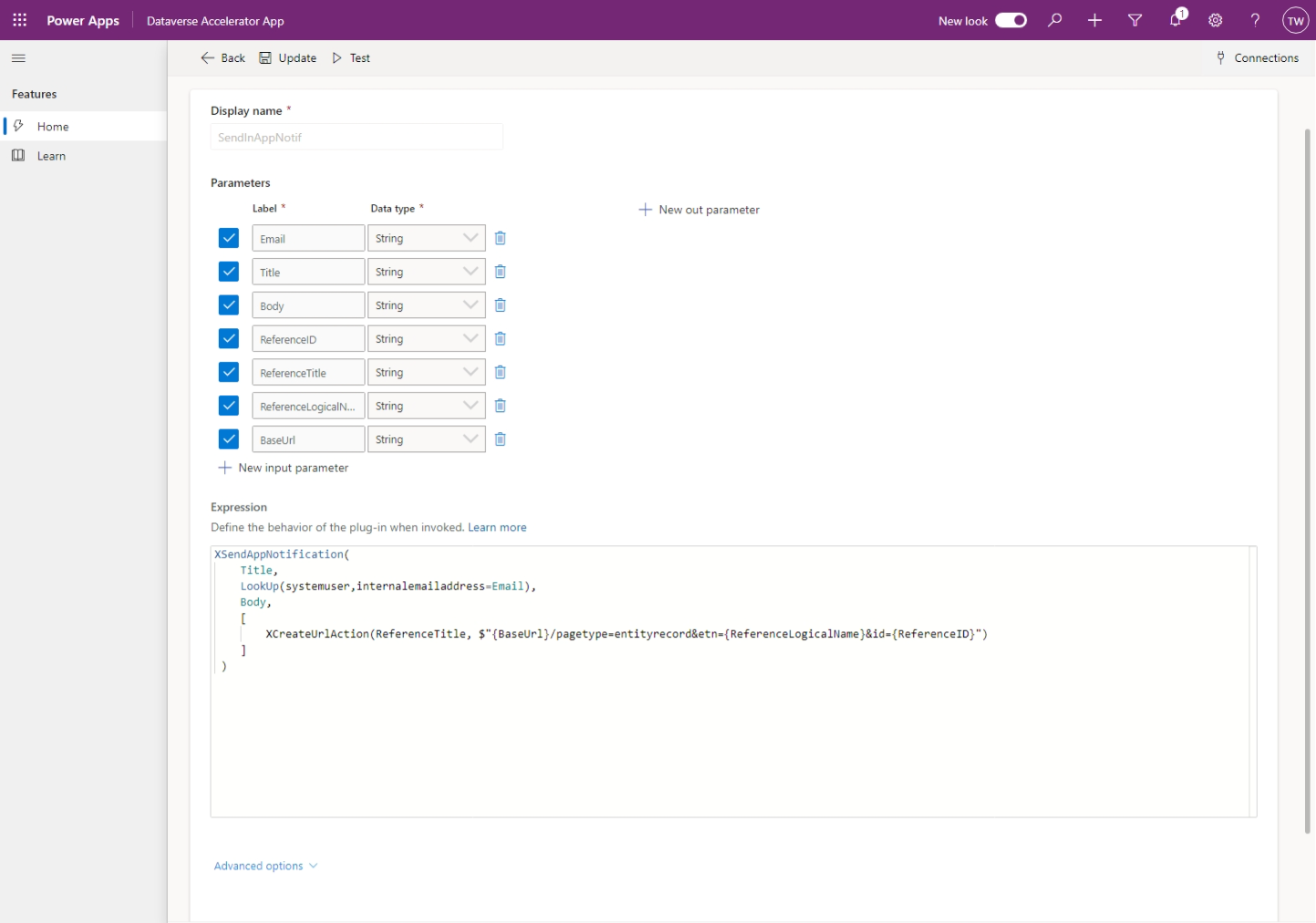
Here is the code for your reference:
XSendAppNotification(
 	Title,
 	LookUp(systemuser,internalemailaddress=Email),
 	Body,
 	[
 		XCreateUrlAction(ReferenceTitle, $"{BaseUrl}/pagetype=entityrecord&etn={ReferenceLogicalName}&id={ReferenceID}")
 	]
 )
For sending the notification, we need to use XSendAppNotification - Preview. We also can pass an array of actions such as open URL, create a side pane to open Dashboard, open Entity, Entity List, and add Teams Chat Action. For this demo, I just use the open URL to open the MDA Entity form using XCreateUrlAction. Again, in the above code, you can see how I structure the URL to open the selected entity ($"/pagetype=entityrecord&etn=&id=").
Ribbon Button and The JS
Here is the JS code:
var tmy_context = tmy_context || {};
var ribbon = ribbon || {};
(function () {
    this.formOnLoad = function (context) {
        tmy_context = context; // Global context;
    };
    this.sendInAppNotif = async function () {
        var formContext = tmy_context.getFormContext();
        var userRef = formContext.getAttribute("tmy_assigntoid").getValue();
        if (!userRef) return;
        var userId = userRef[0].id.replace("{", "").replace("}", "");
        var userInfo = await Xrm.WebApi.retrieveRecord("systemuser", userId, "?$select=internalemailaddress");
        var email = userInfo.internalemailaddress;
        var title = formContext.getAttribute("title").getValue();
        var comment = formContext.getAttribute("comments").getValue();
        var baseUrl = `${formContext.context.getClientUrl()}/main.aspx`;
        var execute_new_SendInAppNotif_Request = {
            // Parameters
            Email: email, // Edm.String
            Title: title, // Edm.String
            Body: comment, // Edm.String
            ReferenceID: formContext.data.entity.getId(), // Edm.String
            ReferenceTitle: "Open Record", // Edm.String
            ReferenceLogicalName: formContext.data.entity.getEntityName(), // Edm.String
            BaseUrl: baseUrl, // Edm.String
            getMetadata: function () {
                return {
                    boundParameter: null,
                    parameterTypes: {
                        Email: { typeName: "Edm.String", structuralProperty: 1 },
                        Title: { typeName: "Edm.String", structuralProperty: 1 },
                        Body: { typeName: "Edm.String", structuralProperty: 1 },
                        ReferenceID: { typeName: "Edm.String", structuralProperty: 1 },
                        ReferenceTitle: { typeName: "Edm.String", structuralProperty: 1 },
                        ReferenceLogicalName: { typeName: "Edm.String", structuralProperty: 1 },
                        BaseUrl: { typeName: "Edm.String", structuralProperty: 1 }
                    },
                    operationType: 0, operationName: "new_SendInAppNotif"
                };
            }
        };
        Xrm.WebApi.execute(execute_new_SendInAppNotif_Request).then(
            function success(response) {
                if (response.ok) { console.log("Send InApp success.."); }
            }
        ).catch(function (error) {
            console.log(error.message);
        });
    };
}).apply(ribbon);
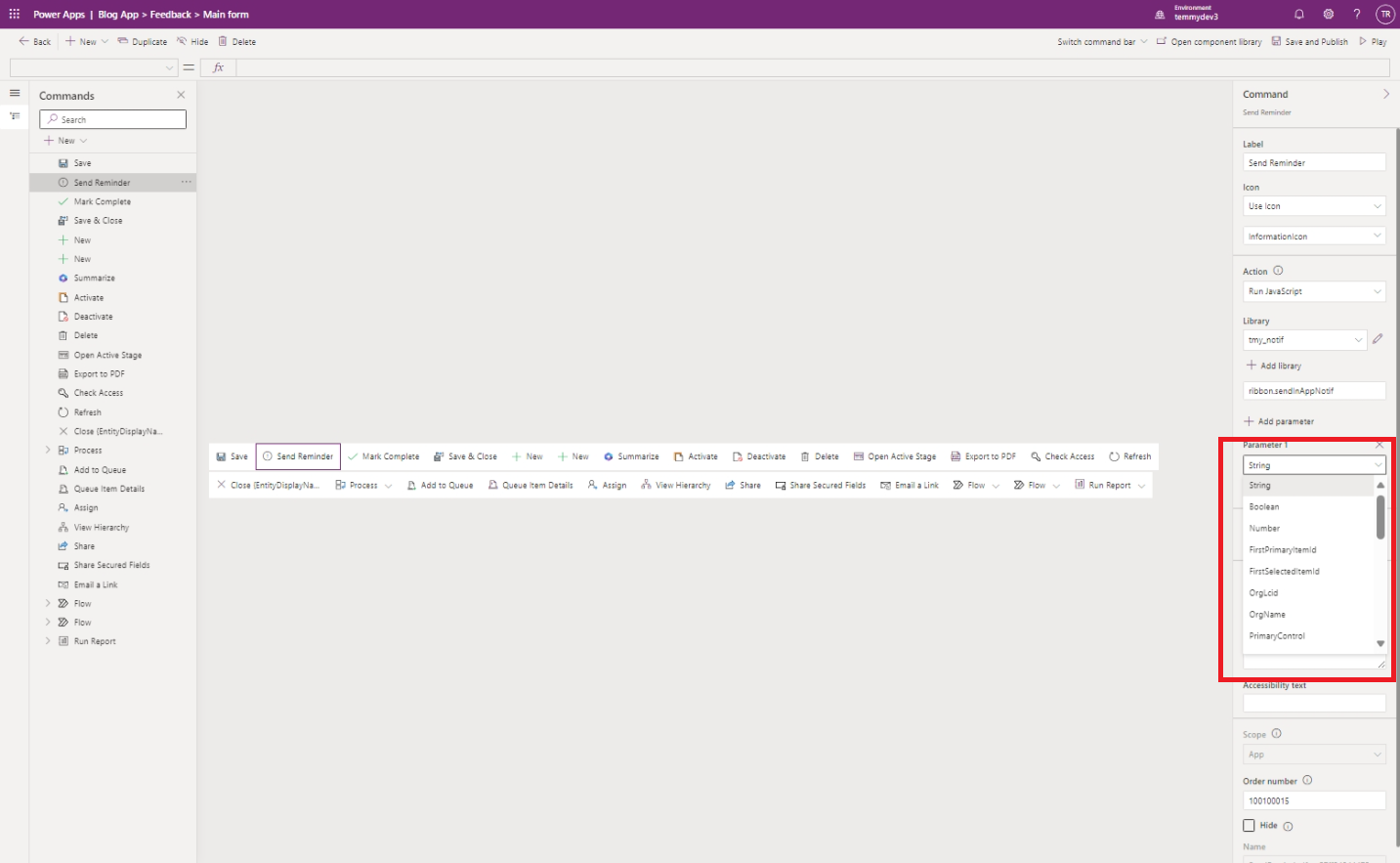
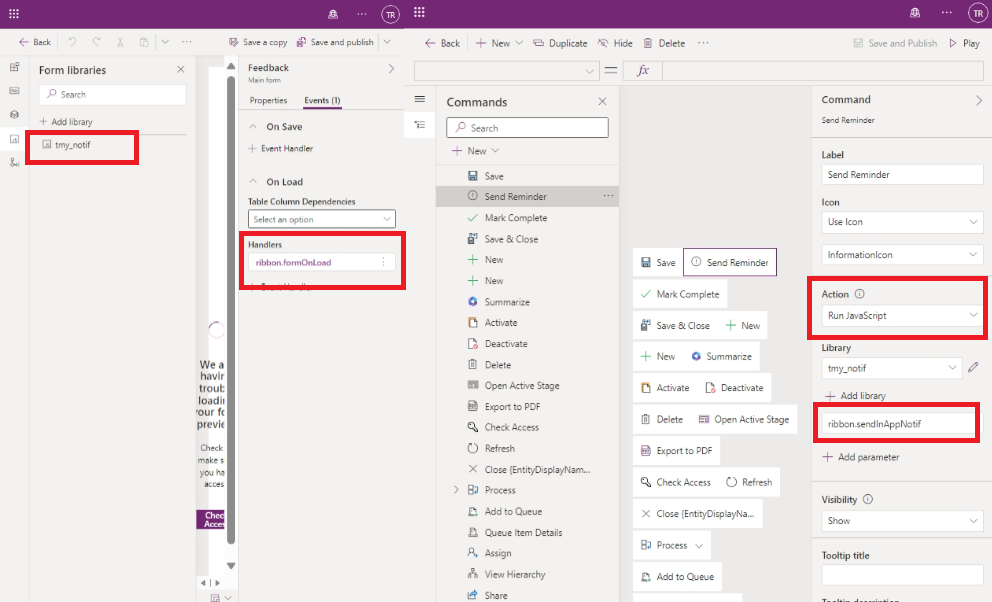
If you look closely at the function, I added the formOnLoad function, which will set the tmy_context variable with the CRM context. The reason for this is that we can't pass the CRM Context via ribbon parameter:
Then, from the JavaScript, the next line is to map the correct values from the form to the plugin. For your information, I also generated the function to call the Low code plugin using Dataverse Rest Builder by Guido Preite:
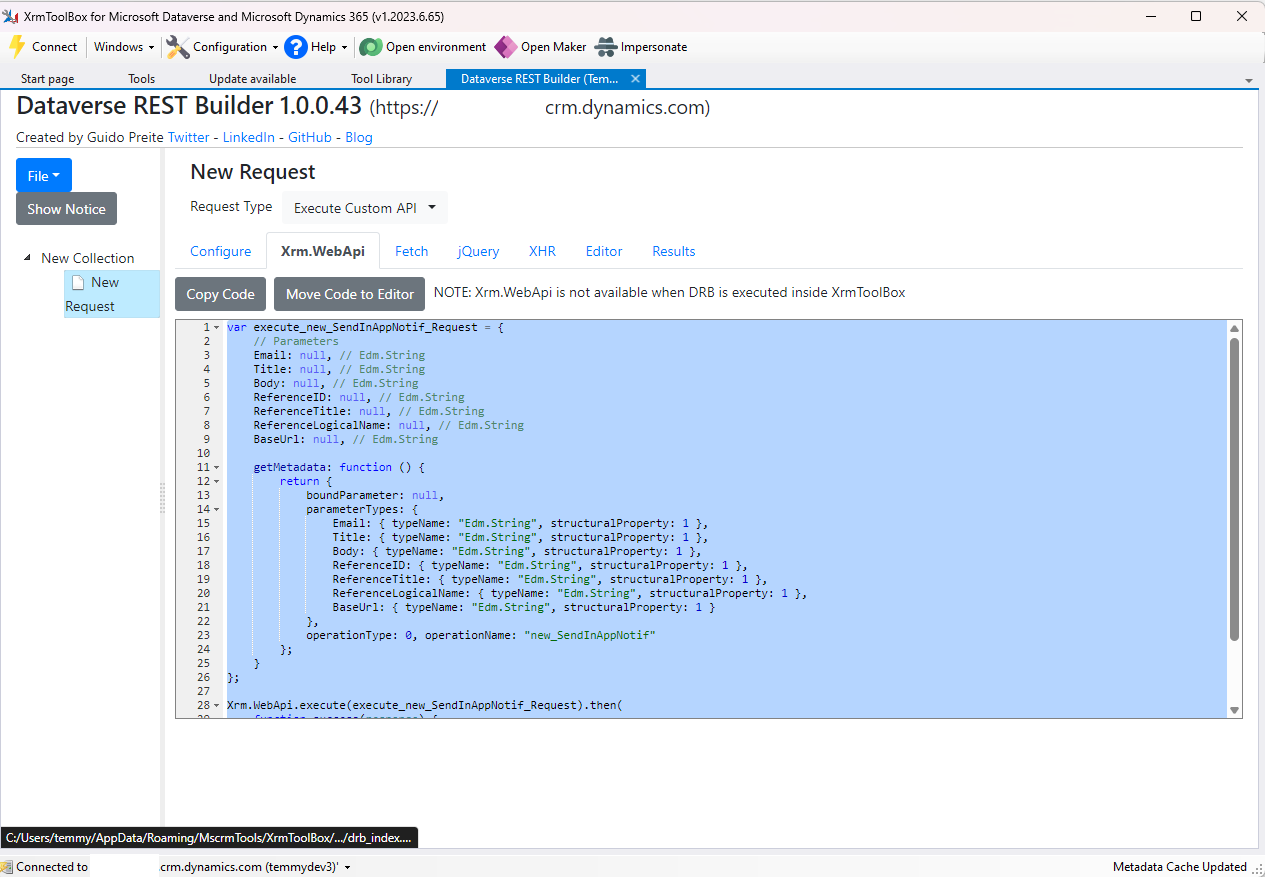
Once the JS is ready, you just need to call the ribbon.formOnLoad in the Feedback Form On Load and call the ribbon.sendInAppNotif when the "Send Reminder" ribbon button is clicked:
Result
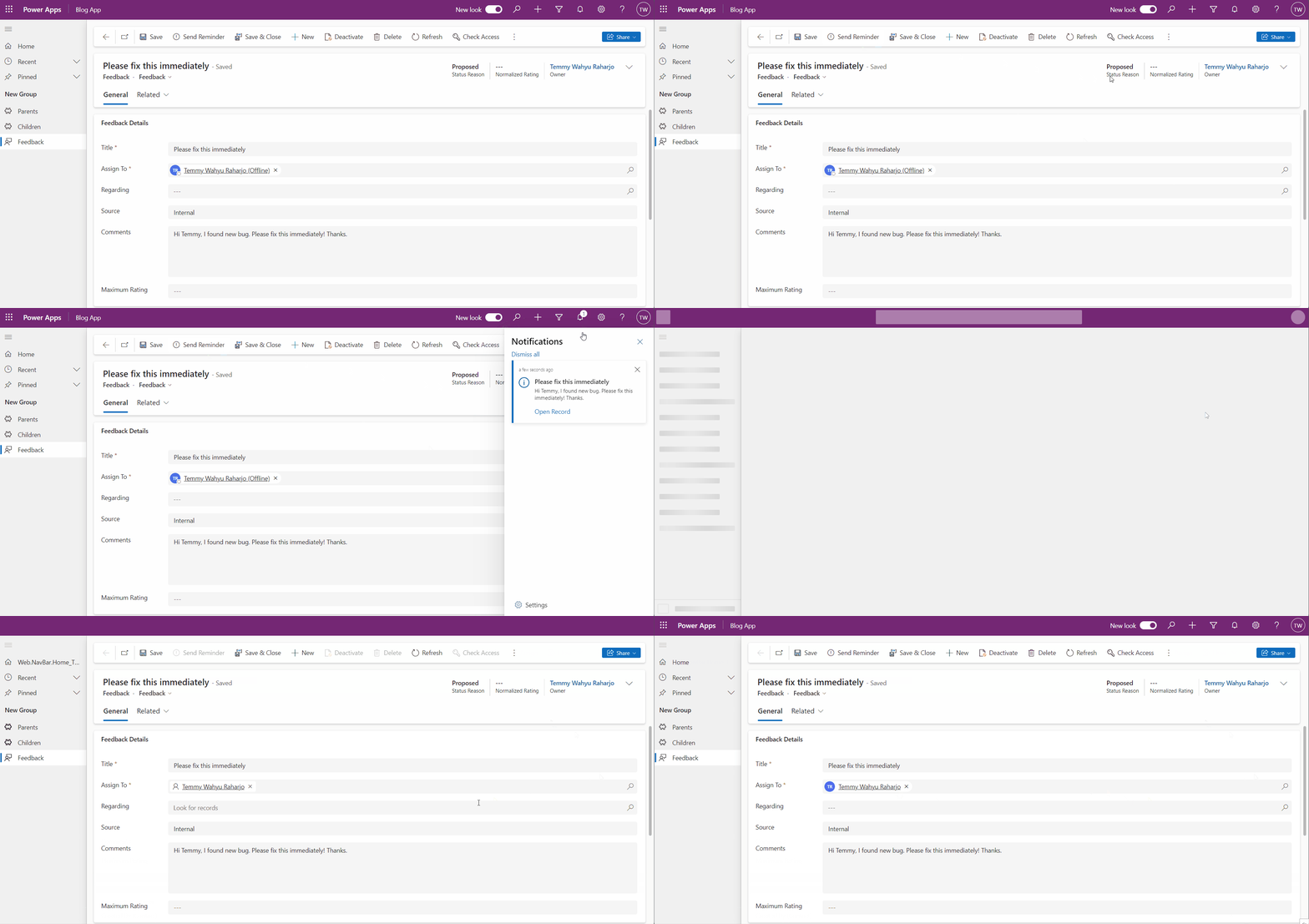
Once all the above customizations are done, you just need to make sure to Publish the changes, and here is my demo:
Happy CRM-ing!
Leave a comment
Your comment is sent privately to the author and isn't published on the site.