Exploration: Dynamics CRM Client Scripting - Xrm.Utility.lookupObjects
Do you know that in ***Xrm.Utility***object now has a nice function called lookupObjects? When we call this function, it will help us open a nice dialog that lets us choose (single or multiple) records and return to us an array of the selected data. We can pass lots of combinations of parameters to make the dialog more focused on the business needs.
This is the list of supported parameters that we can pass:
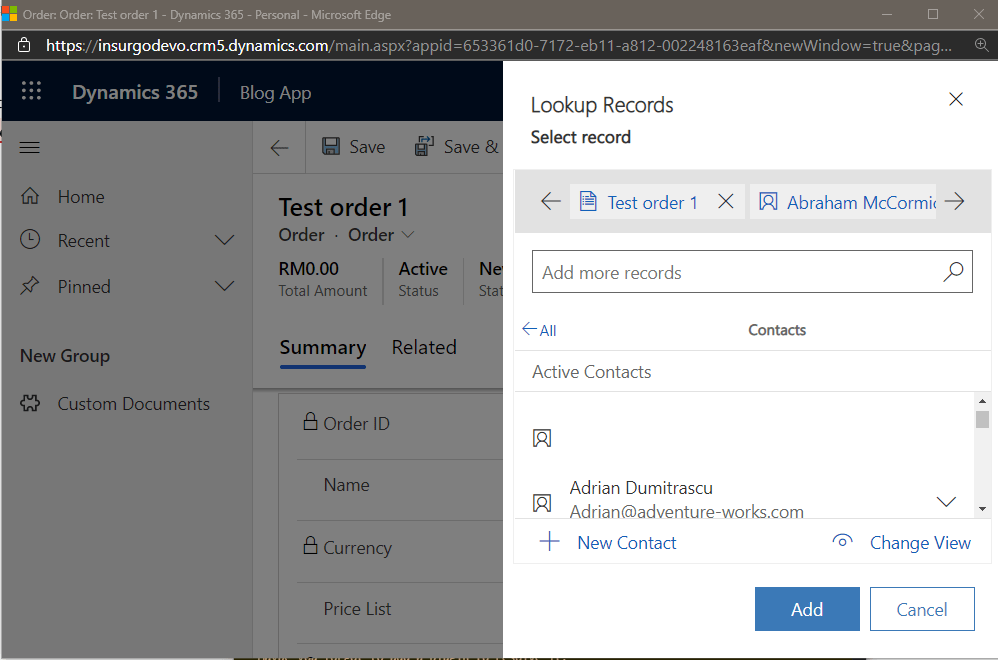 Lookup records dialog
| No | Parameter | Description | Required |
|---|---|---|---|
| 1 | allowMultiSelect | The boolean value (true/false) that will let user to select multiple/single record(s). | No |
| 2 | defaultEntityType | Default entity type (logical name) when dialog show-up for the first time. | No |
| 3 | defaultViewId | Default view id when dialog show-up for the first time (related to parameter #2). | No |
| 4 | disableMru | Boolean value to enable/disable recent records. | No |
| 5 | entityTypes | An array of entity logical names will be shown in the dialog. | Yes |
| 6 | filters | An array of the object (filterXml + entityLogicalName) for default filtering each of the record types. | No |
| 7 | searchText | Default string for searching | No |
| 8 | showBarcodeScanner | Indicates whether the lookup control should show the barcode scanner in mobile clients. | No |
| 9 | viewIds | An array of string guid for the enabled views. | No |
Supported parameters to invoke Xrm.Utility.lookupObjects
This is a sample of how we call the function:
var lookupOptions =
{
    defaultEntityType: "account",
    entityTypes: ["account", "salesorder", "new_customdocument"],
    allowMultiSelect: false,
    defaultViewId: "0D5D377B-5E7C-47B5-BAB1-A5CB8B4AC10",
    viewIds: ["0D5D377B-5E7C-47B5-BAB1-A5CB8B4AC10", "00000000-0000-0000-00AA-000010001003"],
    searchText: "Temmy",
    filters: [{ filterXml: "<filter type='or'><condition attribute='name' operator='like' value='A%' /></filter>", entityLogicalName: "account" }]
};
Xrm.Utility.lookupObjects(lookupOptions)
    .then(success => console.log(success), error => console.log(error));
Demonstration:
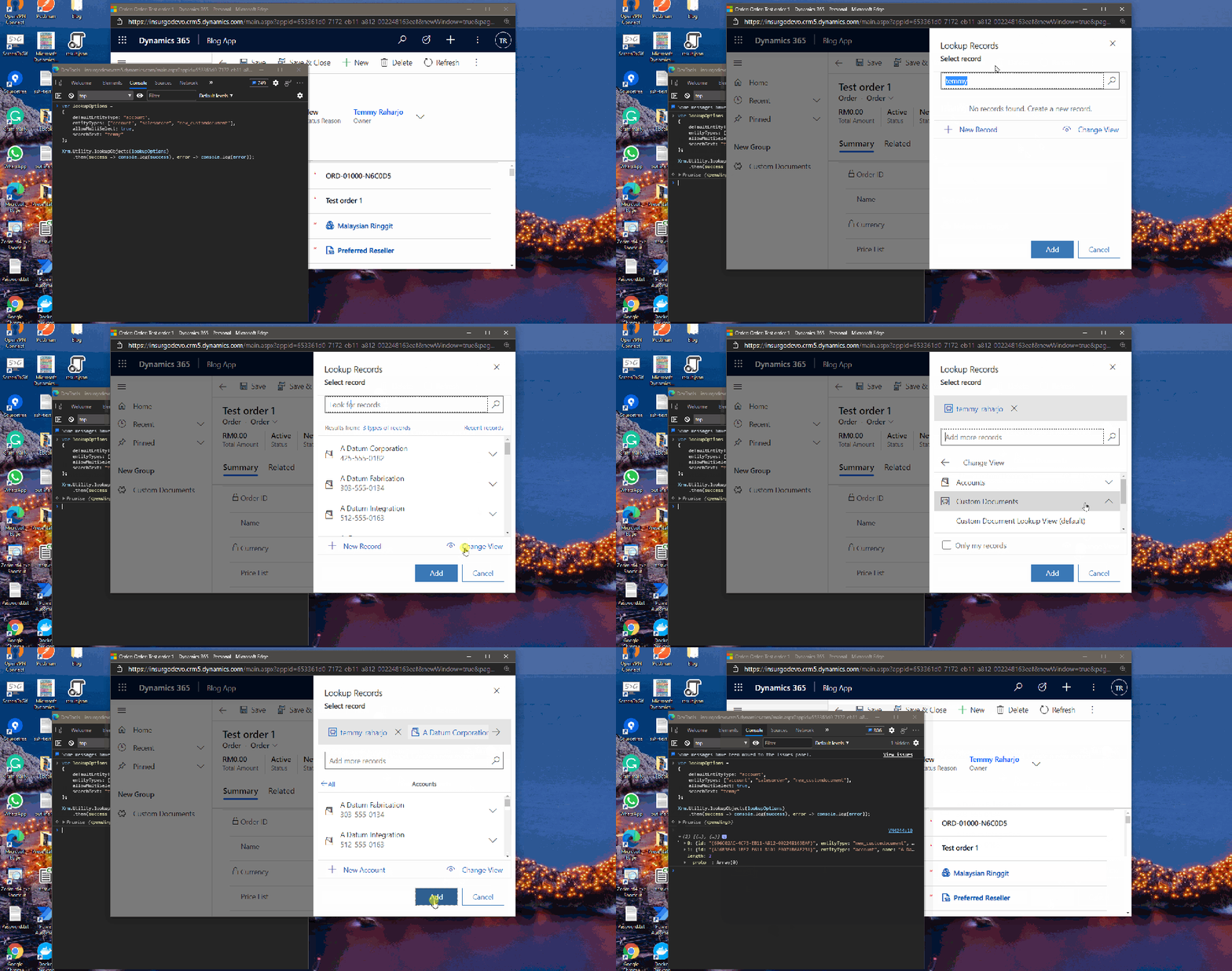 Demonstration of how to invoke + return the result
Here is the screenshot of the result after we click the Add button:
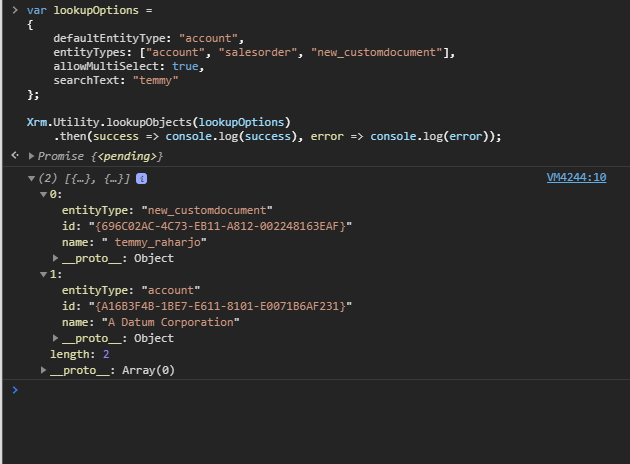 An array of entity
Summary
If you ever needed a multi-entity lookup scenario that does not require actual lookup (maybe just JSON text / 2 string attribute for logicalName and id). This API (Xrm.Utility.lookupObjects) will save you a lot of time and open a lot of capabilities ahead. I can think of making a PCF Component to show a single/set of records using this API behind it without the need to make complex data table relations behind it.
What do you think?
Leave a comment
Your comment is sent privately to the author and isn't published on the site.