Dataverse: Create GetLastDateOfMonth Function in Custom Connector
Do you know we can write Code (Preview) in Custom Connector? In this blog post, we will make a simple function that will return the last date of the month to try the feature. Without further ado here are the steps!
Go to make.powerapps.com > Dataverse> Custom Connectors> on the top right hit + New custom connector > Create from blank option:
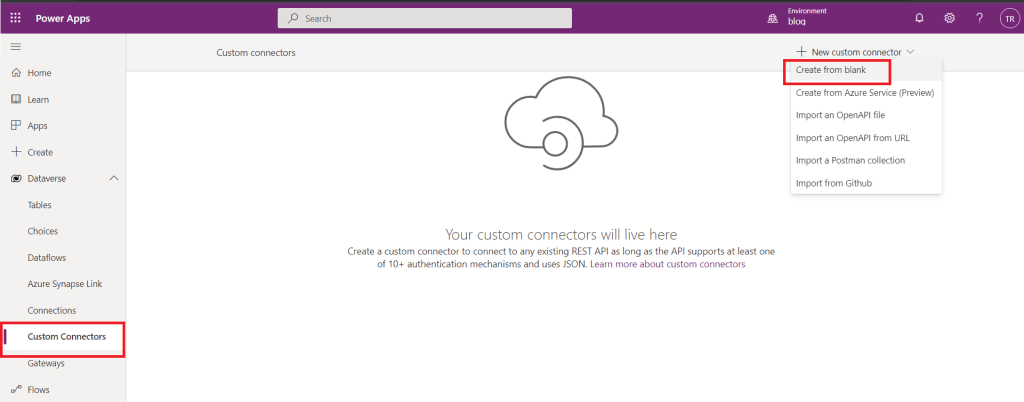 Create a Blank Custom Connector
Then we need to fill in the General Information below:
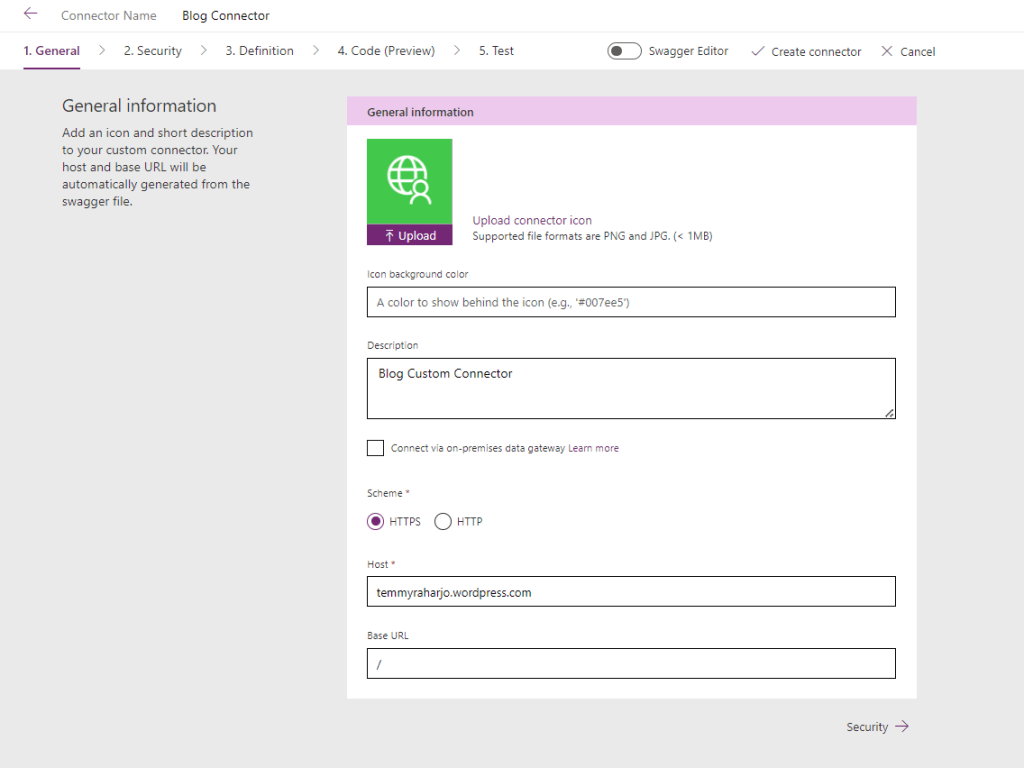 General tab
I put the host as temmyraharjo.wordpress.com. This Host URL will be replaced automatically. So you can put any URL that you want.
The next is the Security tab. Here I am following the official documentation which uses API Key:
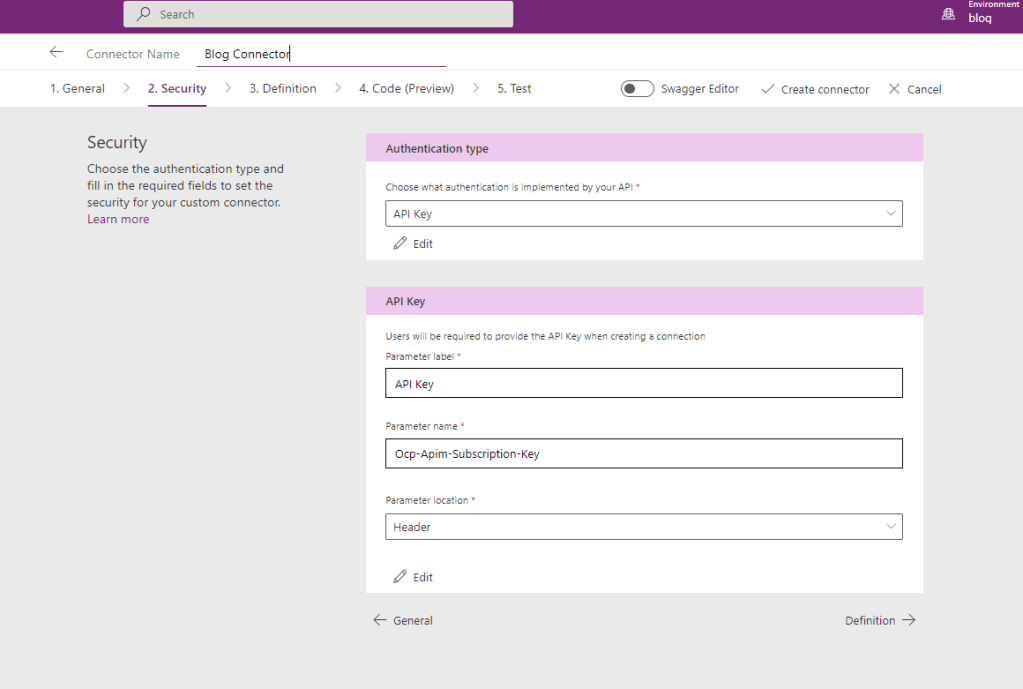 Security tab
In the Definition tab, you can create the Action/API Method that you want to create. For this example, I named it as GetlastDateOfMonth. Once you define the action, you need to define the Request and Response also.
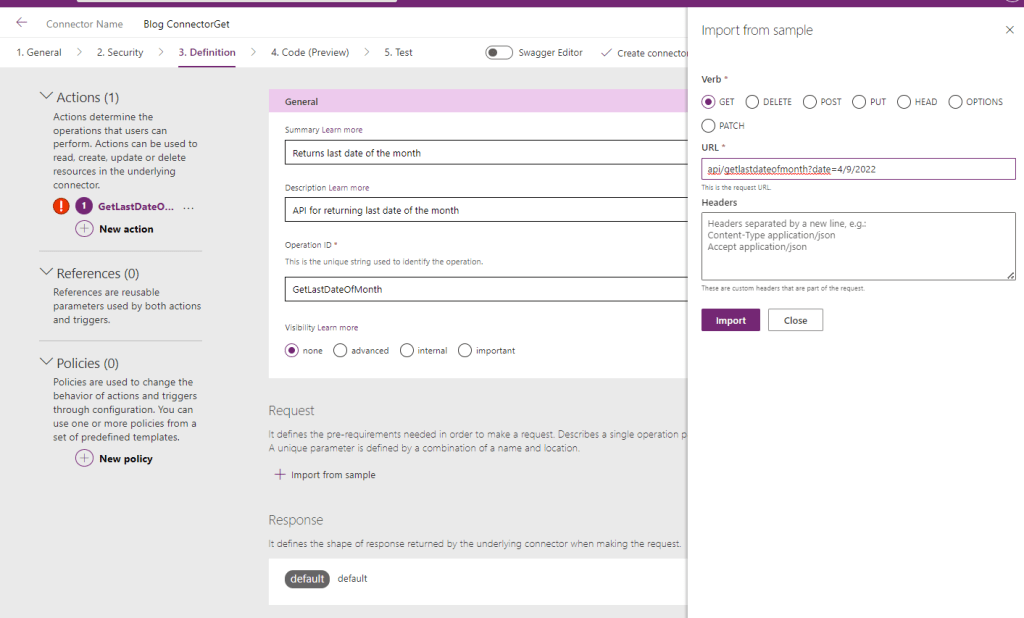 Definition-Request
Here is my Request (asking for a parameter date):
api/getlastdateofmonth?date=4/9/2022
Then for the Response, I designed that the API can return two properties (Result and Error):
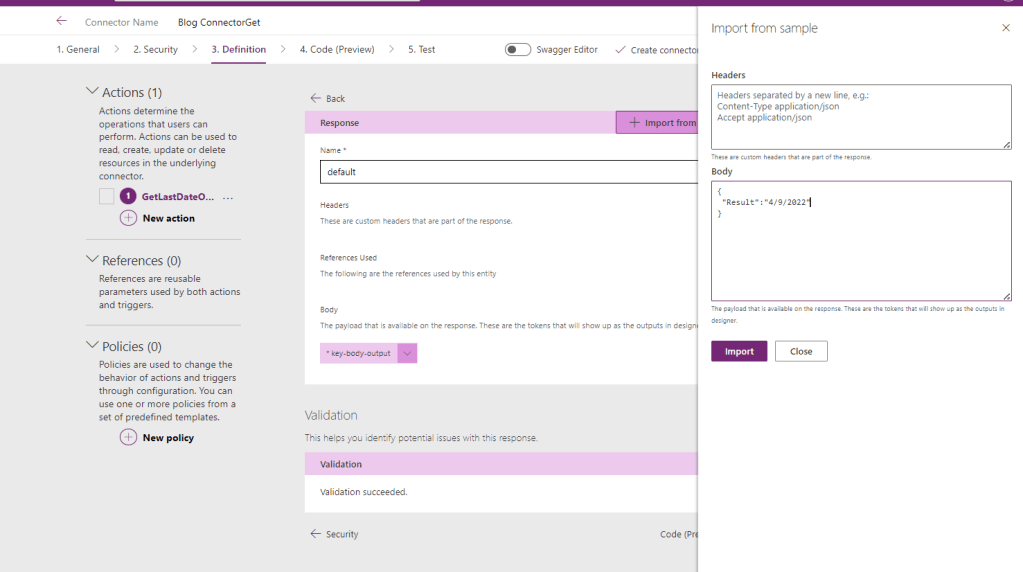 Definition-Response
The Response Sample:
{
  "Result": "4/9/2022",
  "Error": "Error"
}
And here is the fun part! Where do we need to create the code? For now, I don't know how we can write the code efficiently. But when I wrote this code, I depended on the sample that was being generated automatically and in this GitHub code.
public class Script : ScriptBase
{
    public override async Task<HttpResponseMessage> ExecuteAsync()
    {	var query = HttpUtility.ParseQueryString(this.Context.Request.RequestUri.Query);	var inputDateString = query.Get("date");	if(string.IsNullOrEmpty(inputDateString)) return CreateHttpResponseMessage(HttpStatusCode.BadRequest, 		"{\"Error\": \"Date QueryString is empty.\"}");
        if (!DateTime.TryParse(inputDateString, out DateTime inputDate))	{		return CreateHttpResponseMessage(HttpStatusCode.BadRequest, 			"{\"Error\": \"Bad Format\"}");	}		var lastDay = DateTime.DaysInMonth(inputDate.Year, inputDate.Month);	var lastDayOfTheMonth = new DateTime(inputDate.Year, inputDate.Month, lastDay);	return CreateHttpResponseMessage(HttpStatusCode.OK, "{\"Result\": \"" + lastDayOfTheMonth.ToShortDateString() + "\"}");
    }private HttpResponseMessage CreateHttpResponseMessage(HttpStatusCode statusCode, string content){	return new HttpResponseMessage(statusCode)	{		Content = CreateJsonContent(content)	};}
}
Then you need to check the Code Enabledand paste the code above, create the Connector and the last part was to create Connection.
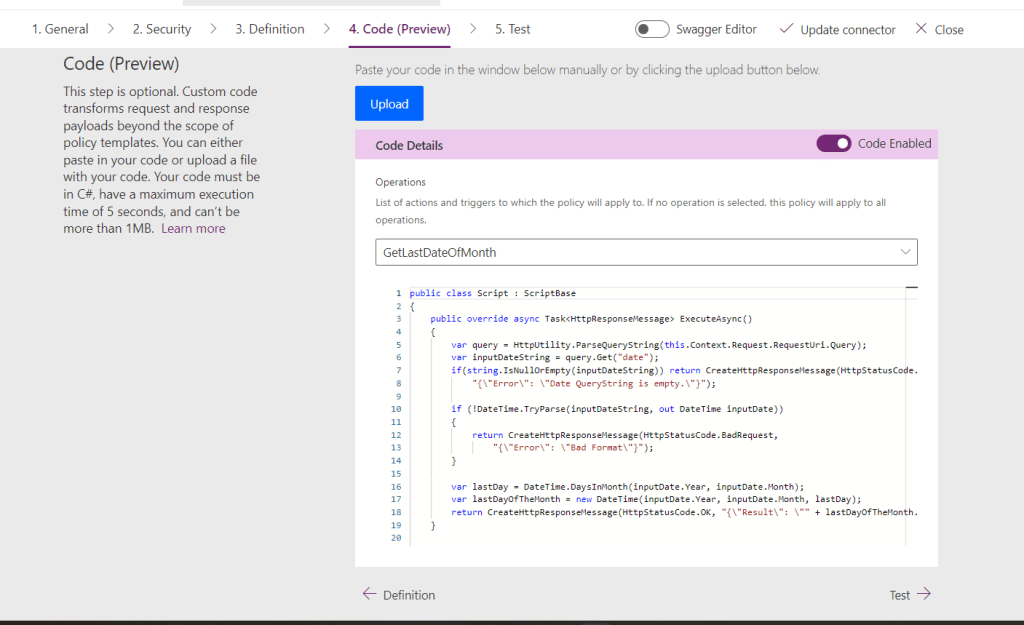 The code 😁
Once you do it, you can test it from the page. But the Test functionality will automatically encode the input. So in the end I tested it using Postman with the below request:
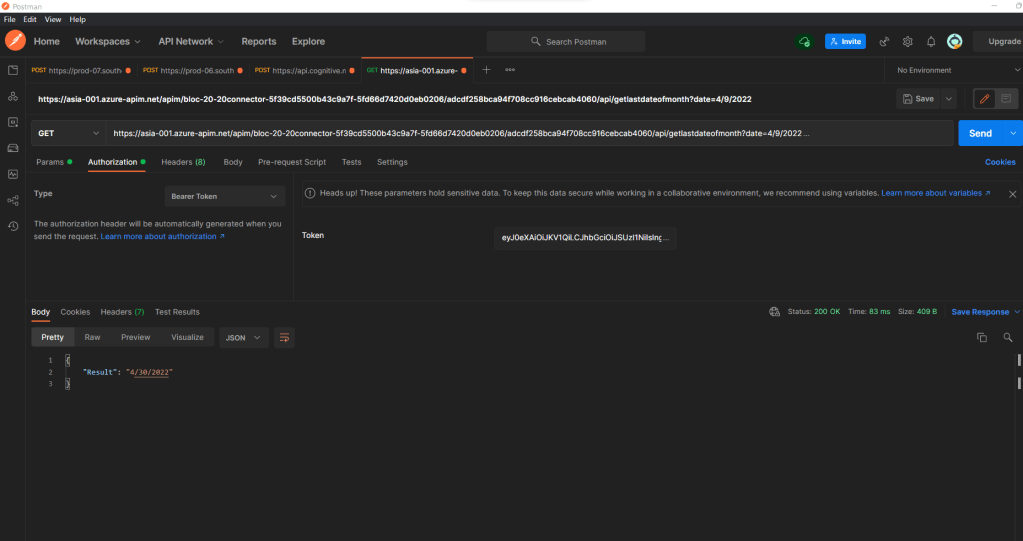 Success Result
Here is the result if we don't put the date QueryString:
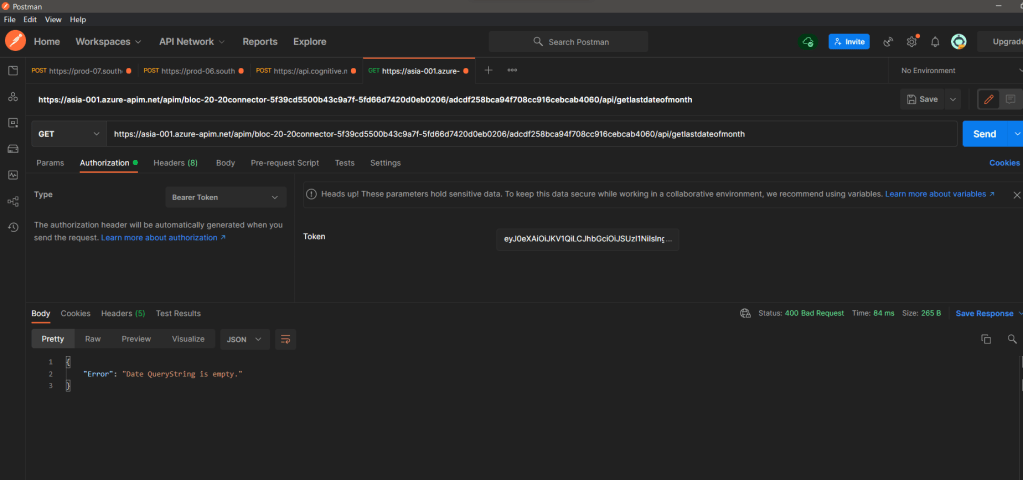 Validation 1
And the last one if we put the wrong date string:
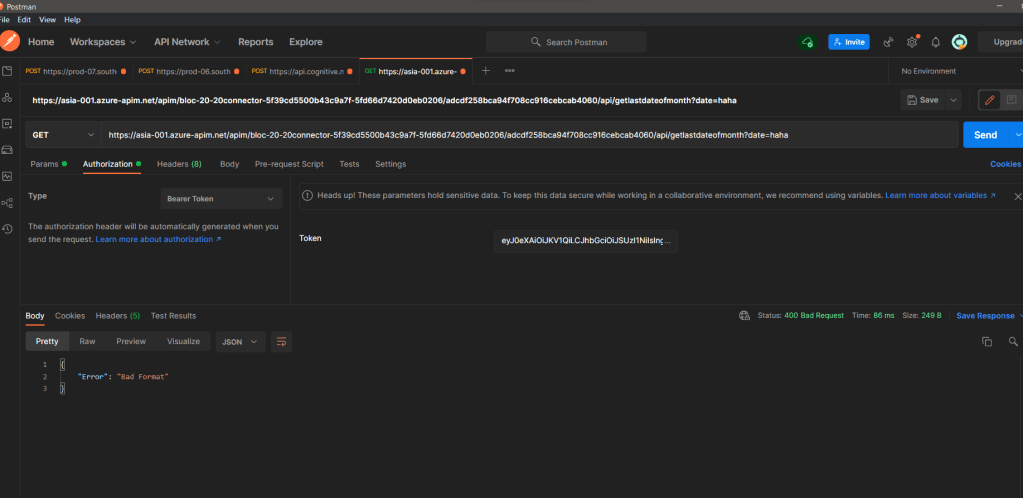 Validation 2
Happy CRM-ing!
Leave a comment
Your comment is sent privately to the author and isn't published on the site.